
In this release we’re introducing Actions and Mentions, two great ways to keep the discussion and momentum going once the meeting ends.
Please Note: If you don’t see these updates in your dashboard yet, this is because your team needs to be transitioned to the new version, which is in progress. Get in touch if you want to jump up the queue.
Want the TLDR?
Watch our demo video to learn more about our latest features, Actions & Mentions. For everything else, keep reading. We packed quite a bit in to this release.
Actions
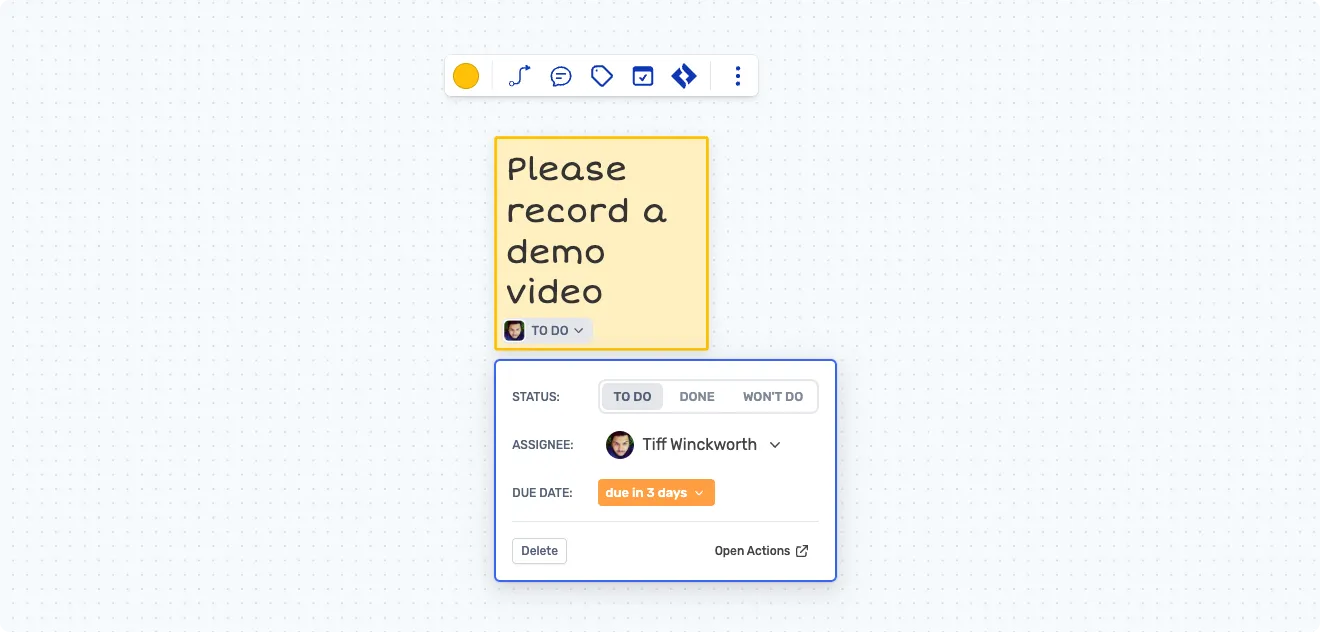
Make sure you don’t lose the valuable insights and outcomes captured during your meetings. Actions allow you to easily create trackable objectives directly from your board by simply typing @ in a sticky, assign a team member and set a due date, or you can use the ‘assign action’ option in the sticky’s toolbar.
Actions can also be created from the Action Items view in your team dashboard.
Action Items Dashboard
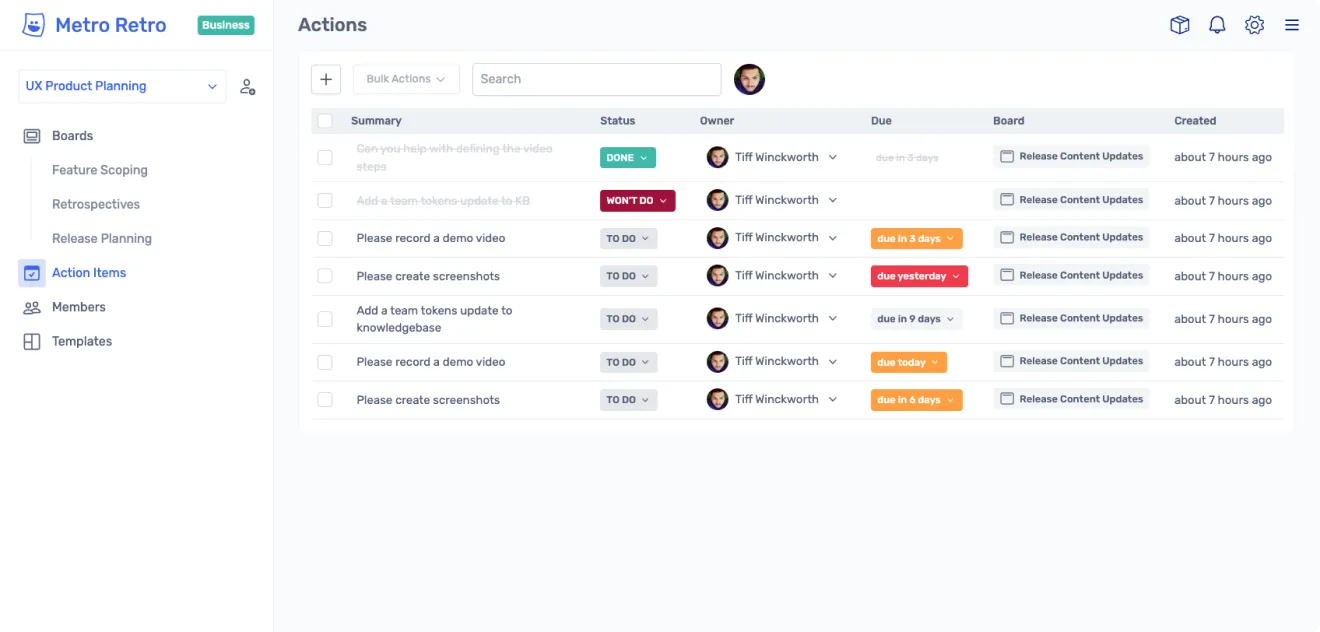
Manage your actions directly from your team dashboard. A great way to get a summary update before your next meeting. Need to set an action not directly related to a board? You can add actions from here too.
Need to edit an action without going into the board? No problem, actions have two way sync with the sticky note you originally created them on.
Import Action Items
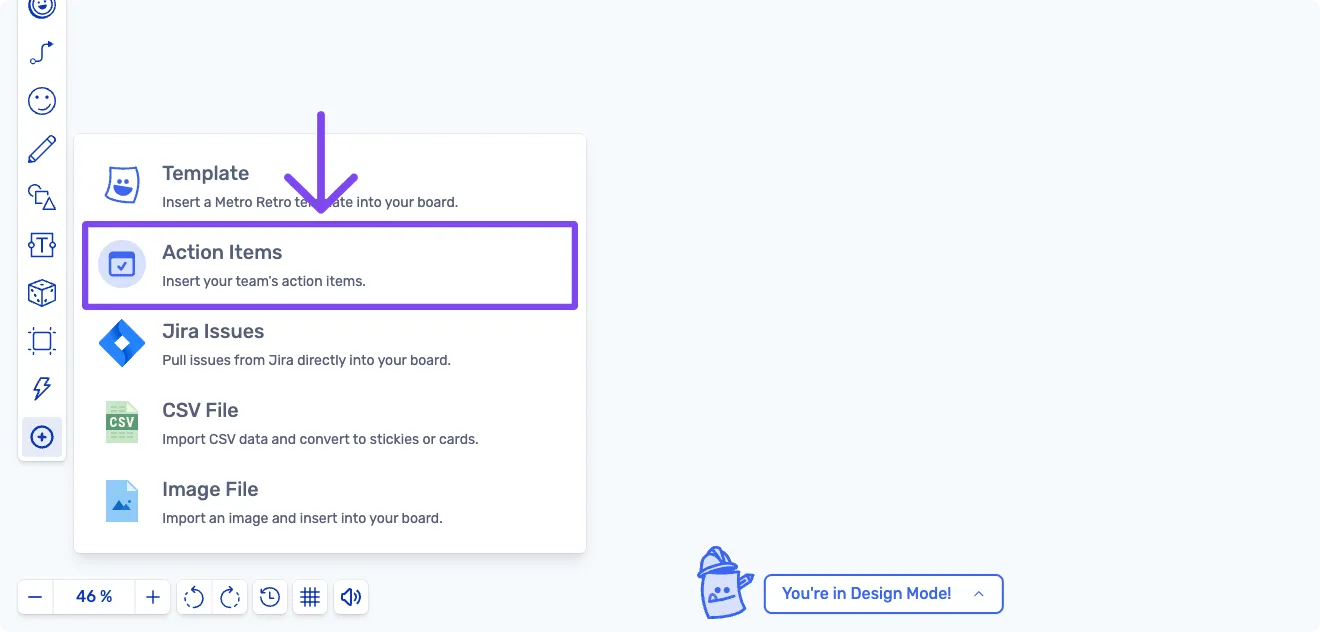
Insert your team actions to your next meeting board in seconds, removing any clumsy copy/pasting.
Mentions
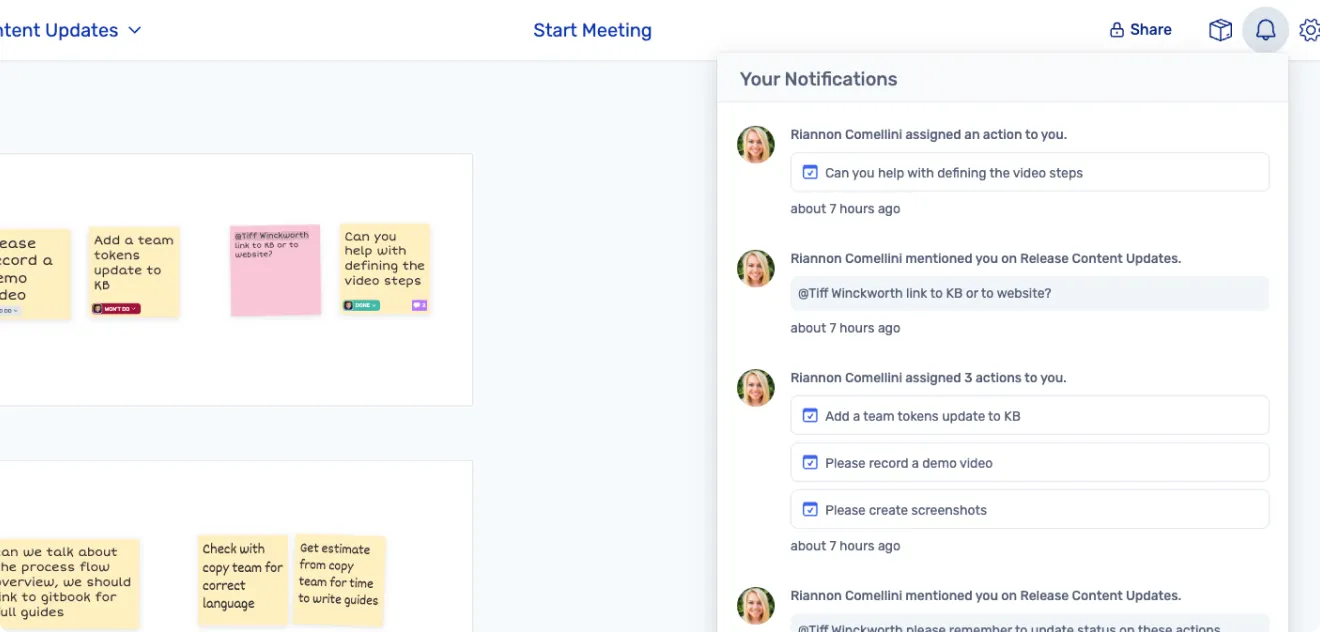
Type ”@” in a sticky to mention a team member and notify them.
Communicate across boards with your team, draw attention to content you want to collaborate further on and leave feedback that will get noticed.
Great for when you need to share an idea or keep your team informed.
Updates & Improvements
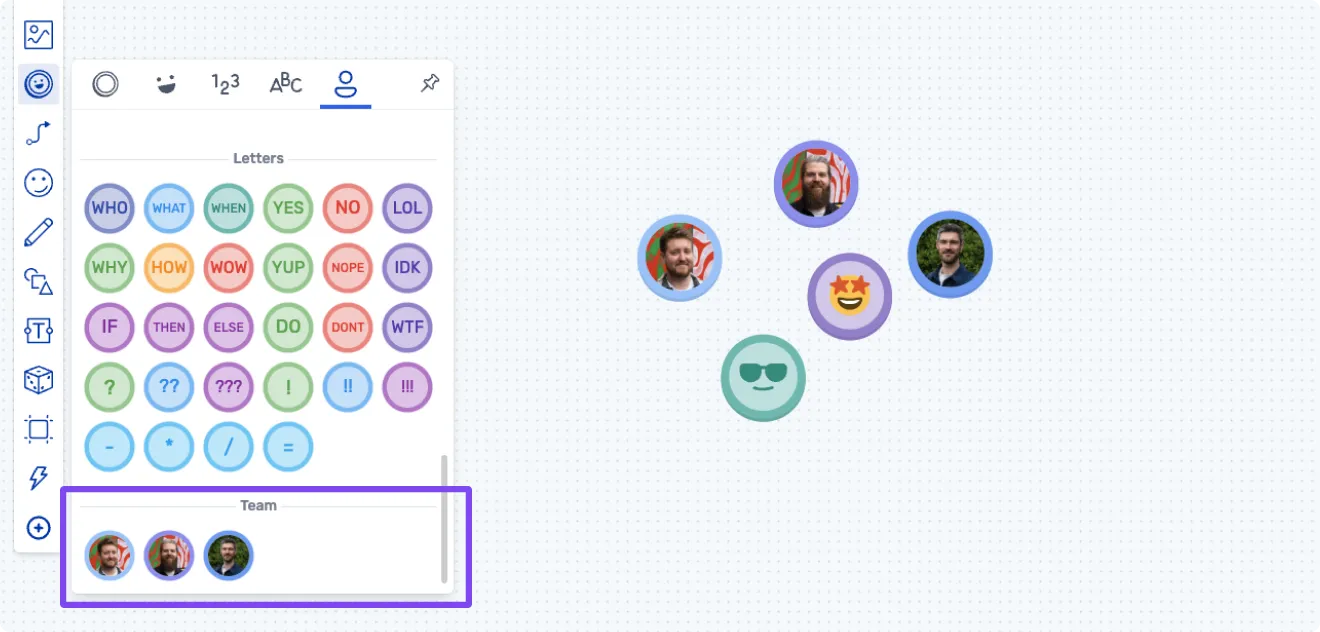
- Team Tokens: All team members will now be available in the token drawer, even if they haven’t yet joined the board.
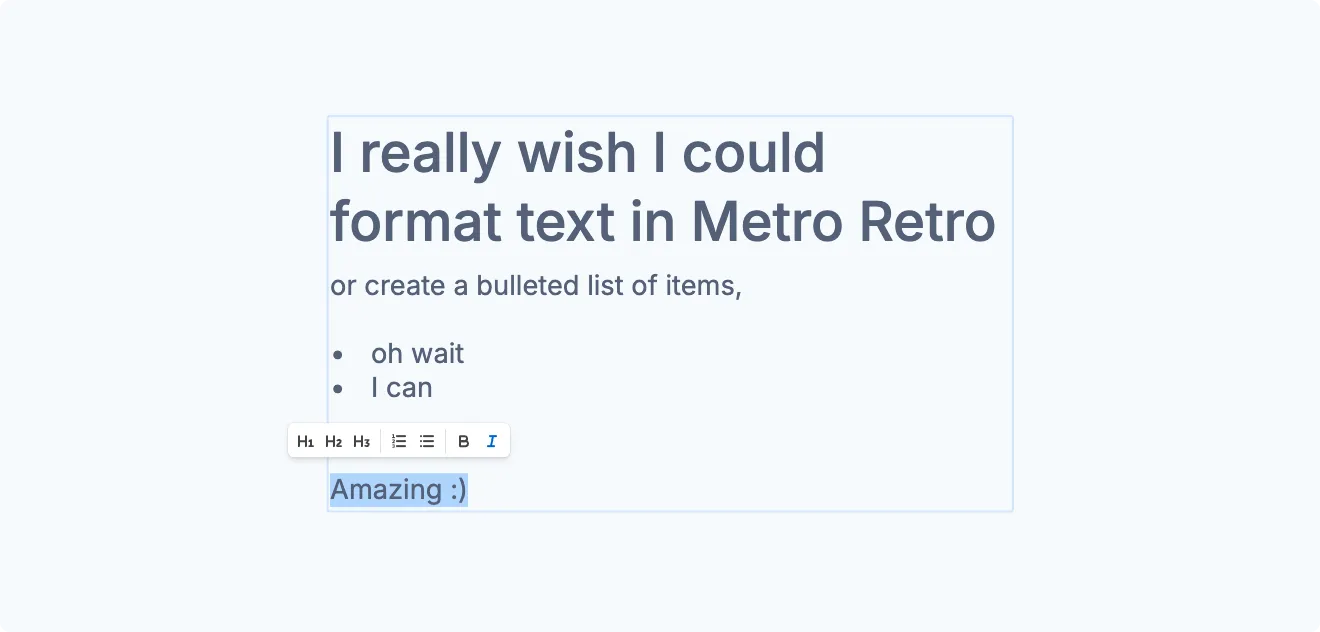
- Rich text editor for text blocks. Headers, lists, bold, italics.
- Admins can search and sort members in the ‘people’ screen for easier member management.
Bug fixes
- The dateline in the timeline frame is now showing the correct day
- Scroll function on Jira import function now working correctly
- Jira issues imported to the board are now aligning correctly (no overlap)
- Connector arrows render properly in Safari browser
Have an awesome day 💪
Catch you in the next update.
Kit, Jamie, Steve and Steve - the Metro Retro team