





ludi-logo
is now
spreo-logo

Read about the rebrand in our Blog

Jira Integration

Work with your Jira backlog directly on a visual board. Pull issues into your session, collaborate as a team, and sync updates back to Jira automatically.

Sign up with Google Sign up for free
30-day free trial
No card required
Endless confetti

Made for Connected Workflows

Why Spreo Jira integration works better for team sessions

Jira is where work is tracked, but collaboration often happens elsewhere. Spreo brings Jira into the session, allowing teams to discuss, estimate, and update work together on a shared board, with everything synced back automatically.

Keep Jira as the source of truth

Keep Jira as the source of truth

All updates made during the session sync back to Jira automatically, so nothing needs to be copied or updated later.

Collaborate on backlog items visually

Collaborate on backlog items visually

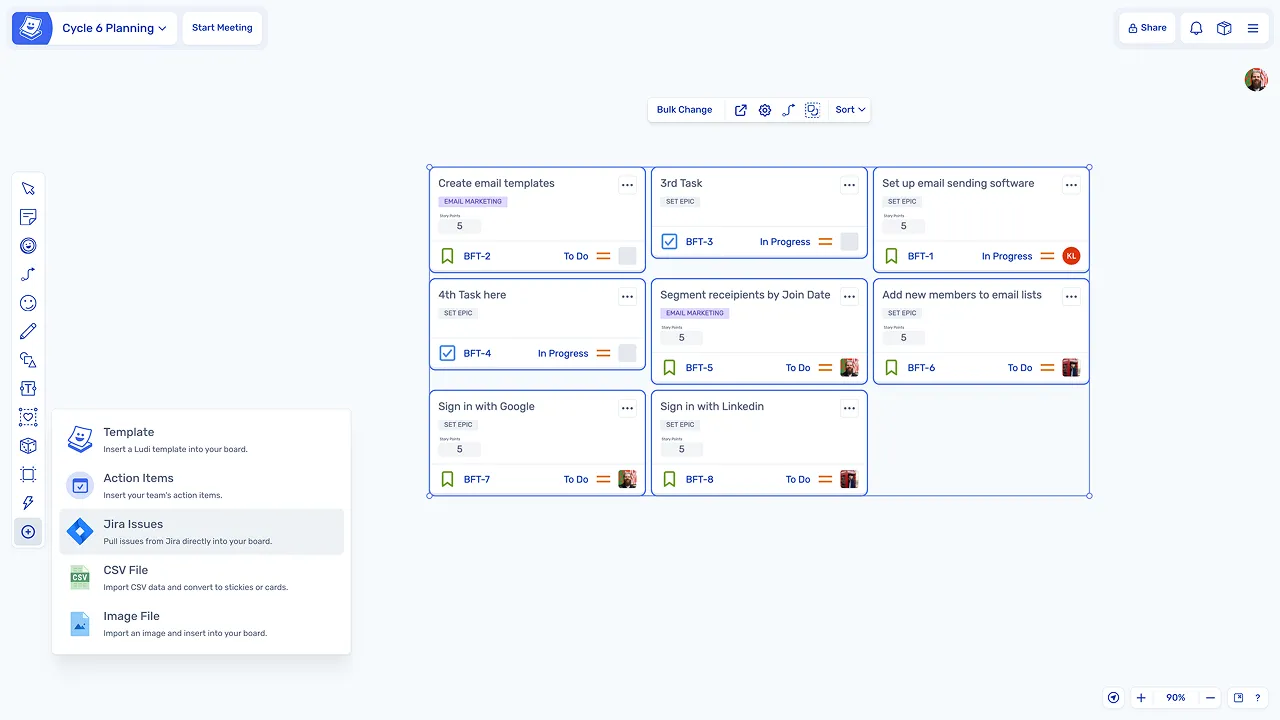
Teams can pull Jira issues onto the board and interact with them together instead of reviewing a static list.

Estimate in context, not in isolation

Estimate in context, not in isolation

Stories can be discussed, clarified, and estimated on the same board, without switching to separate tools.

Remove manual updates after meetings

Remove manual updates after meetings

Changes such as estimates and new issues are synced in real time, eliminating the need for follow-up admin work.

Turn ideas into Jira issues instantly

Turn ideas into Jira issues instantly

Sticky notes created during sessions can be converted into Jira issues directly from the board.

Keep the team in one workflow

Keep the team in one workflow

Planning, refinement, and estimation all happen in the same space, reducing context switching between tools.

What is Jira integration?

Jira integration connects Spreo directly to Jira, allowing teams to work with their backlog on a visual whiteboard. Teams can pull issues onto the board, collaborate on them during sessions, and sync updates back automatically.

This integration is used across sessions such as sprint planning, backlog refinement, estimation, and retrospectives, while keeping Jira as the system of record throughout.

How teams use Jira integration in Spreo

Connect Jira to your workspace

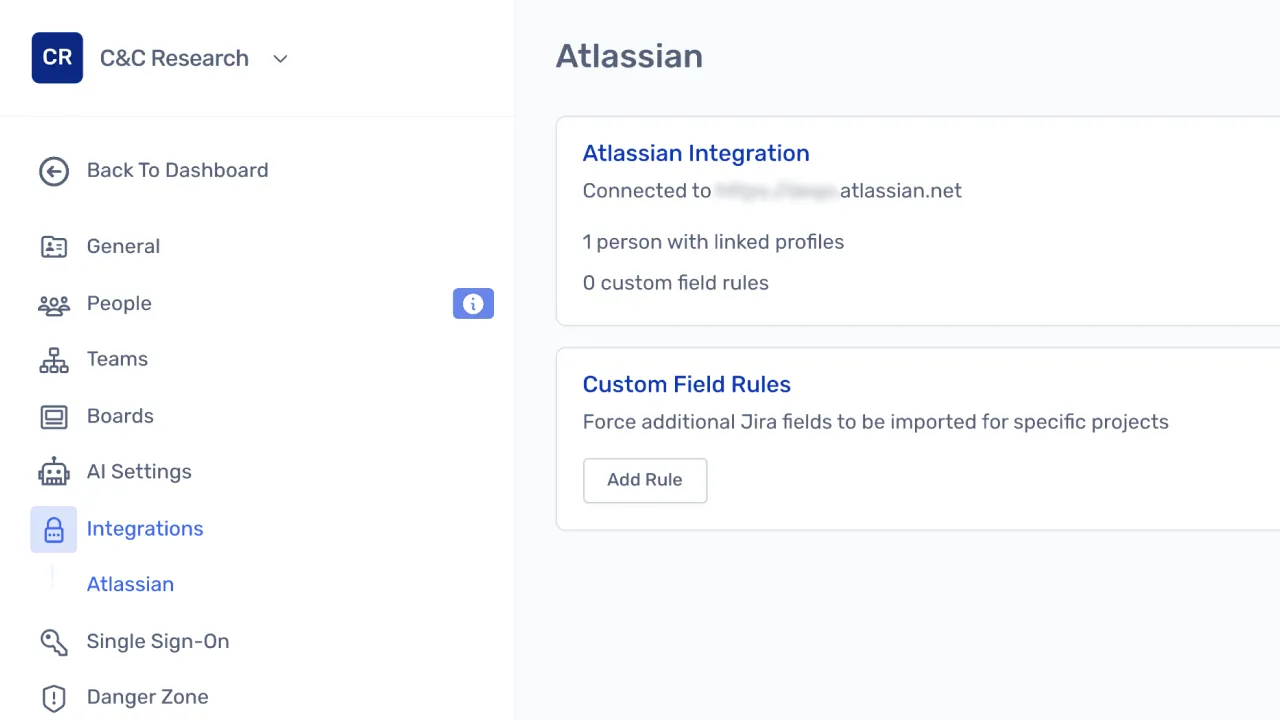
Teams connect their Jira instance once through team settings. From that point, Jira issues are available to bring into any session without additional configuration.

Connect Jira to your workspace

Pull backlog items onto the board

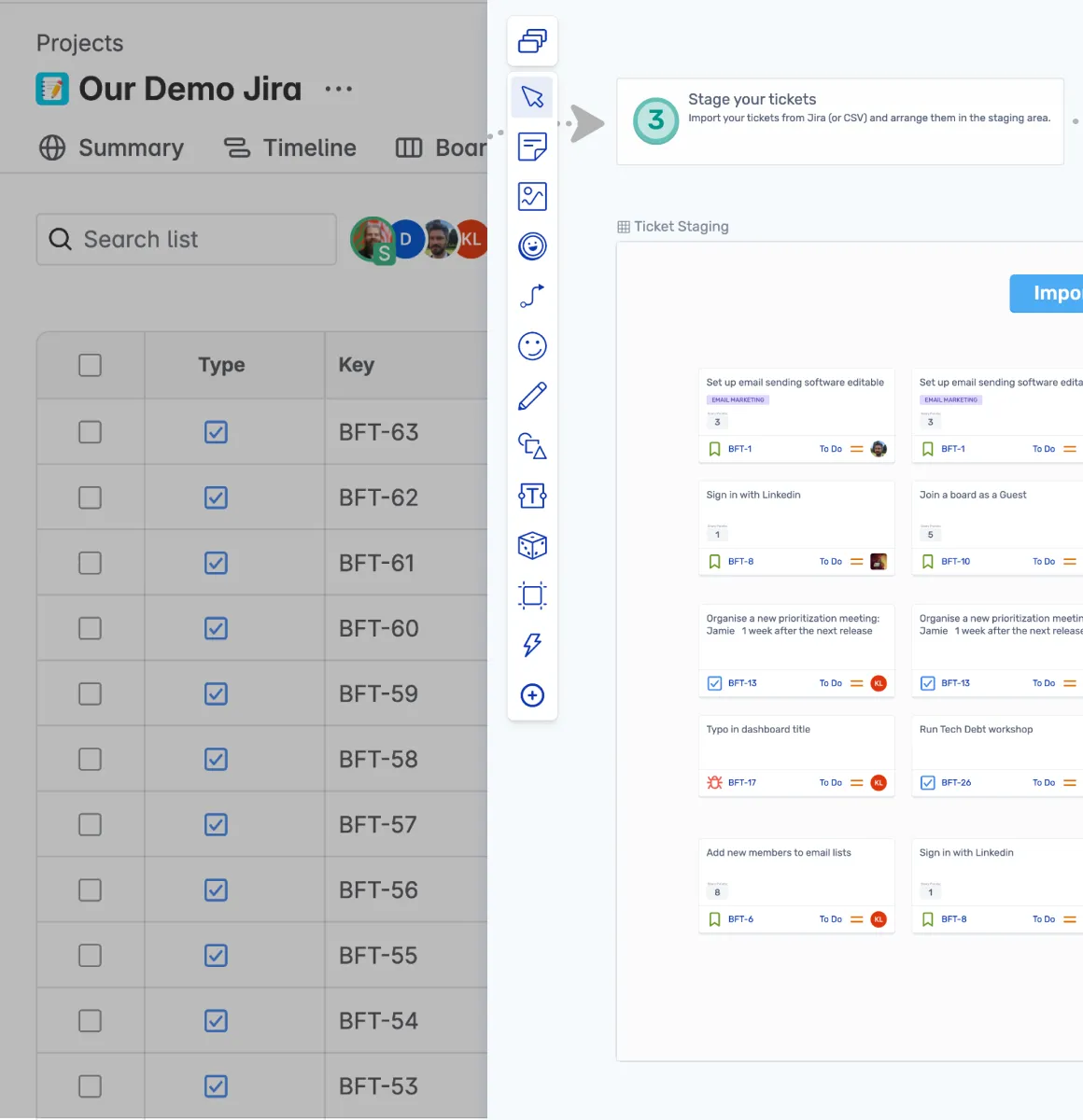
During a session, Jira issues are brought onto the board so the team can review and work with them visually, discussing scope, priority, and effort together.

Pull backlog items onto the board

Estimate collaboratively

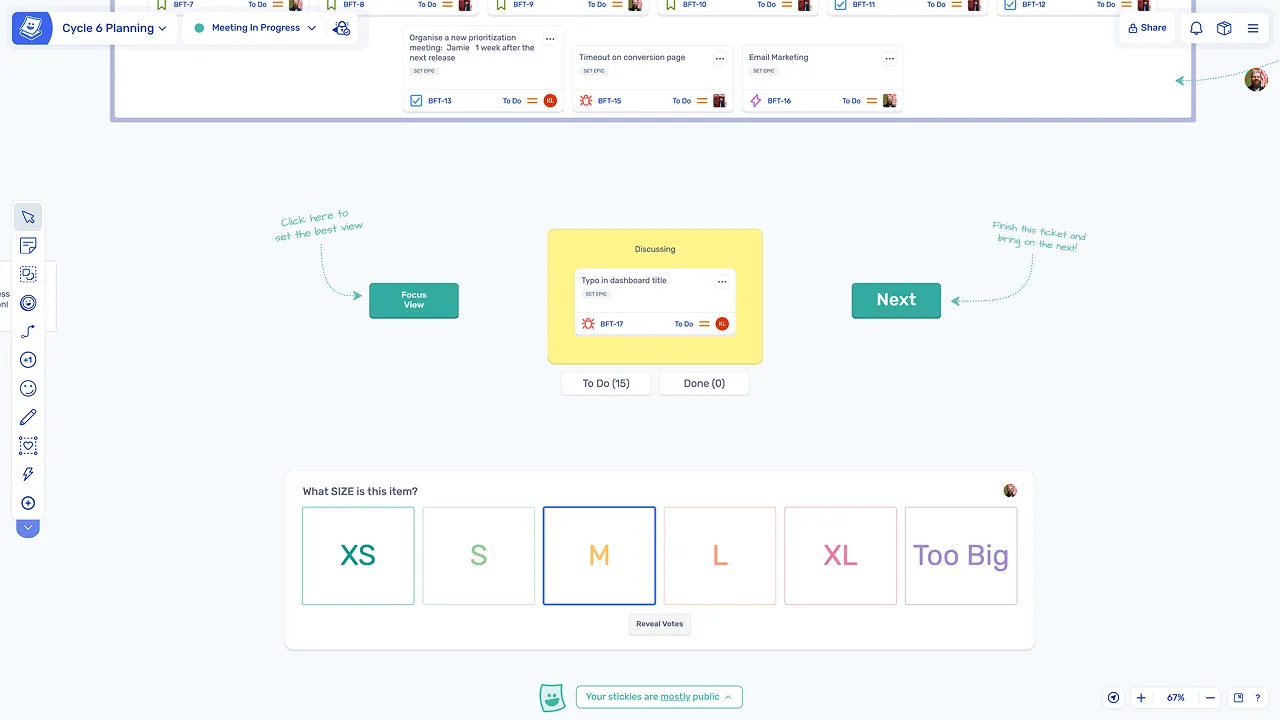
Stories can be estimated using Fibonacci or T-shirt sizing, with estimates syncing back to Jira automatically. Teams discuss, agree, and move on without any manual follow-up.

Estimate collaboratively

What makes Spreo Jira integration different

Two-way sync within structured sessions

Updates to issues are synced automatically while the team works through a guided session, rather than on an unstructured canvas where changes can be missed.

Estimation on the same board

Teams can discuss, estimate, and agree on work without leaving the board or switching tools, keeping the session focused and efficient.

Convert ideas into backlog items instantly

Any sticky note can become a Jira issue, allowing new work identified during sessions to be captured and tracked immediately without leaving Spreo.

Loved by teams everywhere

What the teams who use Spreo every week say about it

Chris VanderKolk

Engineering Manager, Zapier

Our team is focused on new product development, and rapid iteration is an important part of our process.

Spreo helps my team facilitate retrospectives to make sure we’re focused on what matters. Spreo’s wide selection of templates helps me adjust based on which problems we’re facing—there’s always a template for my use case.

Gabriel Pelaez

VP Tech, Kayak

Spreo has addressed the communication barriers that existed in our remote teams; people enjoy working in it so much.

Siobhan He

Product Manager, EZ Ops

We use Spreo for our retrospectives, but also for loads of other meetings. The team loves it! They are having a lot of fun with the planning poker and personalizing the retro boards.

The emoji stickies are a particularly big hit, as is the confetti tool.

We have used it a couple times for brainstorming and team building as well, and it worked really really well!

Marteijn Mout

Senior Scrum Master, Jumbo Tech Campus

For my teams’ retrospectives I have been using Spreo for nearly 1 year and am very satisfied with this collaborative web app 👍

But now with their new upgrade to v2 it goes next level! So many new template options (eg ice breakers, Poker planning, T-shirt sizing, WoW). And also useful advanced facilitator controls within the boards plus optimized usability… big applause 👏

Marianne Béglin

Product Owner, Enginn Technologies

Our team at Enginn Technologies is working on a AI voice acting app for video games. Spreo is the bomb for making fun retrospectives in an office or remote setting.

It’s just beautiful and convenient, with a few quirky and unique features that keep our meetings from getting boring (like the wake up slap)!

Bernhard Unger-Weber

Scrum Master, ryd

Spreo has created an obvious uptick in active participation, and shifted the tone of our retrospectives. Team members are now more proactive about suggesting improvements and celebrating wins openly.

Ready to experience the best collaboration tool for your team?

Sign up for free

Interested in Spreo for your organization? Book a demo.