





ludi-logo
is now
spreo-logo

Read about the rebrand in our Blog

Task Tracking

Track actions from meetings and make sure they get completed. Create, assign, and follow up on actions across sessions, with reminders, visibility, and review built into the workflow.

Sign up with Google Sign up for free
30-day free trial
No card required
Endless confetti

Made for Meeting Outcomes

Why Spreo is the best option for task tracking

Task tracking only works when actions are visible, assigned, and consistently reviewed. Spreo connects actions directly to the meetings where they are created, keeps them visible between sessions, and brings them back for review, so teams can follow through on commitments instead of losing track of them.

Actions are not lost after the meeting

Actions are not lost after the meeting

Actions created during sessions are tracked and remain visible, instead of being buried in notes or spreadsheets.

Stay on track with reminders

Stay on track with reminders

Assigned team members receive email reminders for upcoming and overdue actions, helping ensure follow-through.

Review actions in every session

Review actions in every session

Actions from previous boards are automatically brought into the next meeting, so the team can review progress together.

See all actions in one place

See all actions in one place

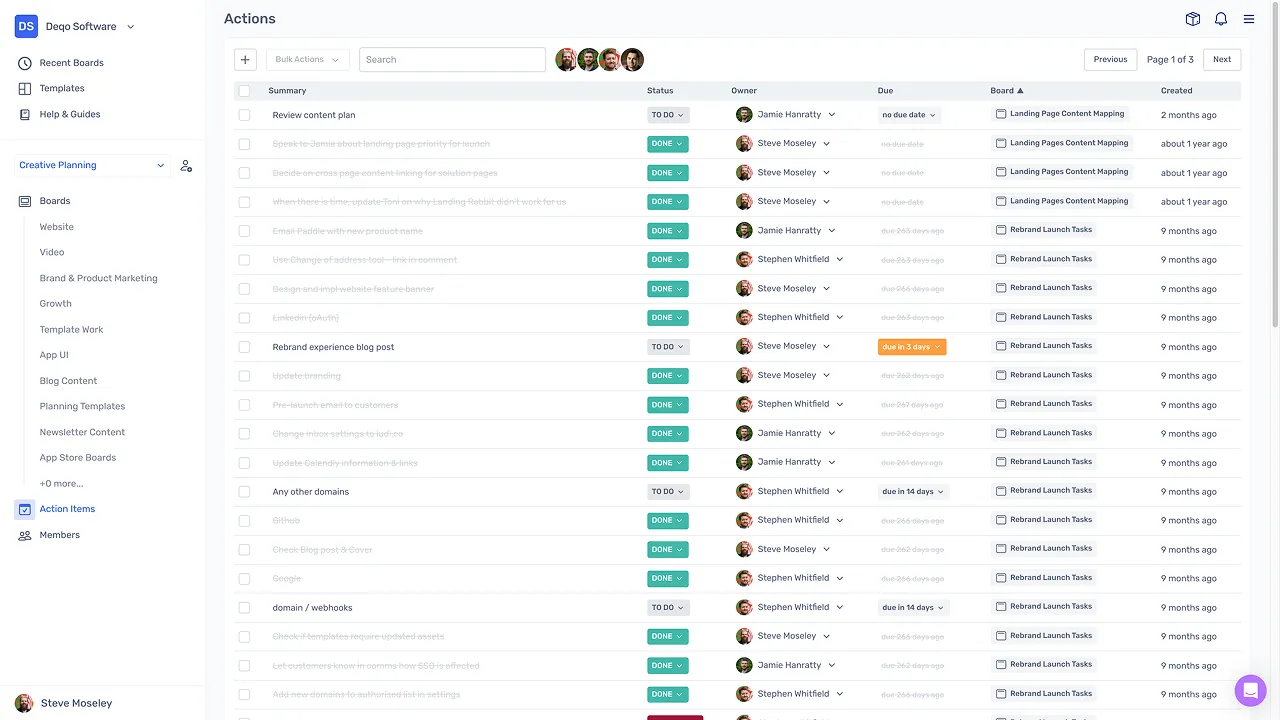
A central dashboard shows actions across boards, making it easy to track what is done, overdue, or needs attention.

Keep actions connected to context

Keep actions connected to context

Actions stay linked to the original sticky and board, so the team always has the context behind each task.

Create and manage actions outside meetings

Create and manage actions outside meetings

Actions can be created and updated directly from the dashboard, not just during sessions.

What is task tracking?

Task tracking in Spreo is the full lifecycle of actions created during meetings — from creation and assignment through reminders, review, and completion. These actions are typically created from sticky notes during retrospectives, planning sessions, or workshops.

Between meetings, actions are managed through a central dashboard, and at the start of the next session, outstanding items are brought back for review. The goal is to ensure that decisions and commitments made during meetings are followed through.

How teams track tasks in Spreo

Create actions during a session

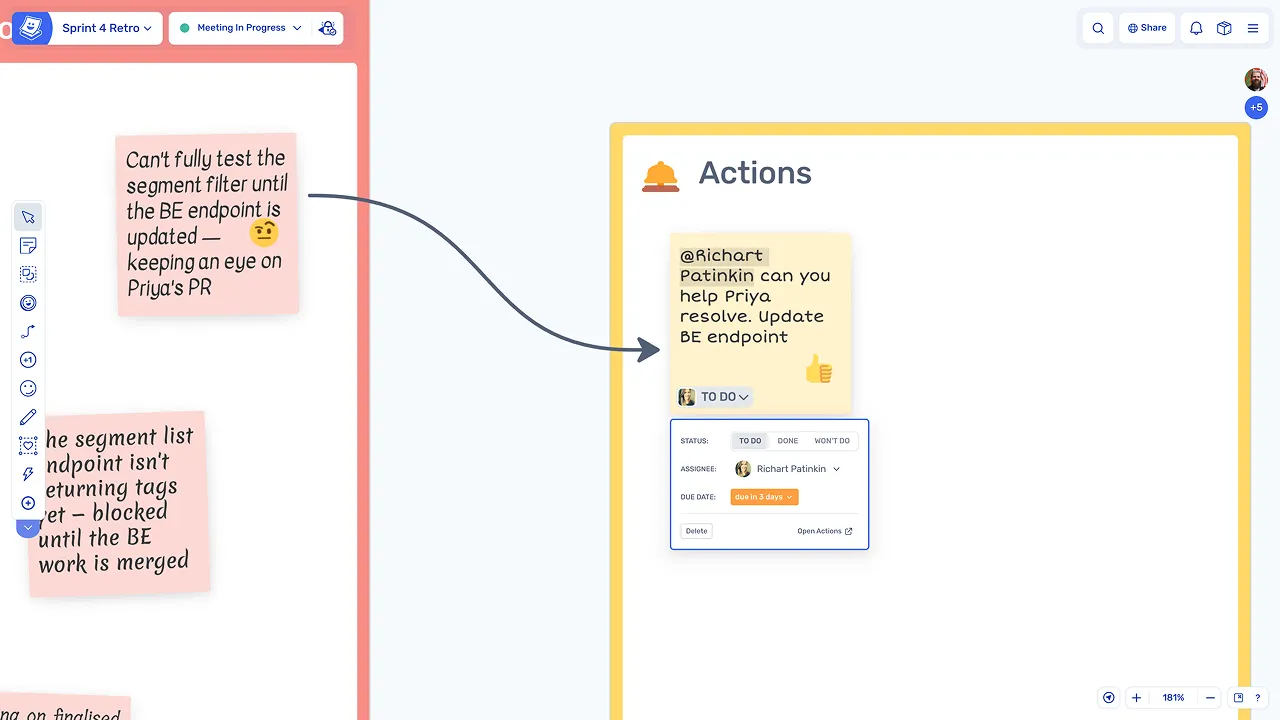
Any sticky can become an action by assigning an owner and setting a due date directly on the board. Actions are created in context, linked to the discussion and ideas that prompted them.

Create actions during a session

Notify assignees automatically

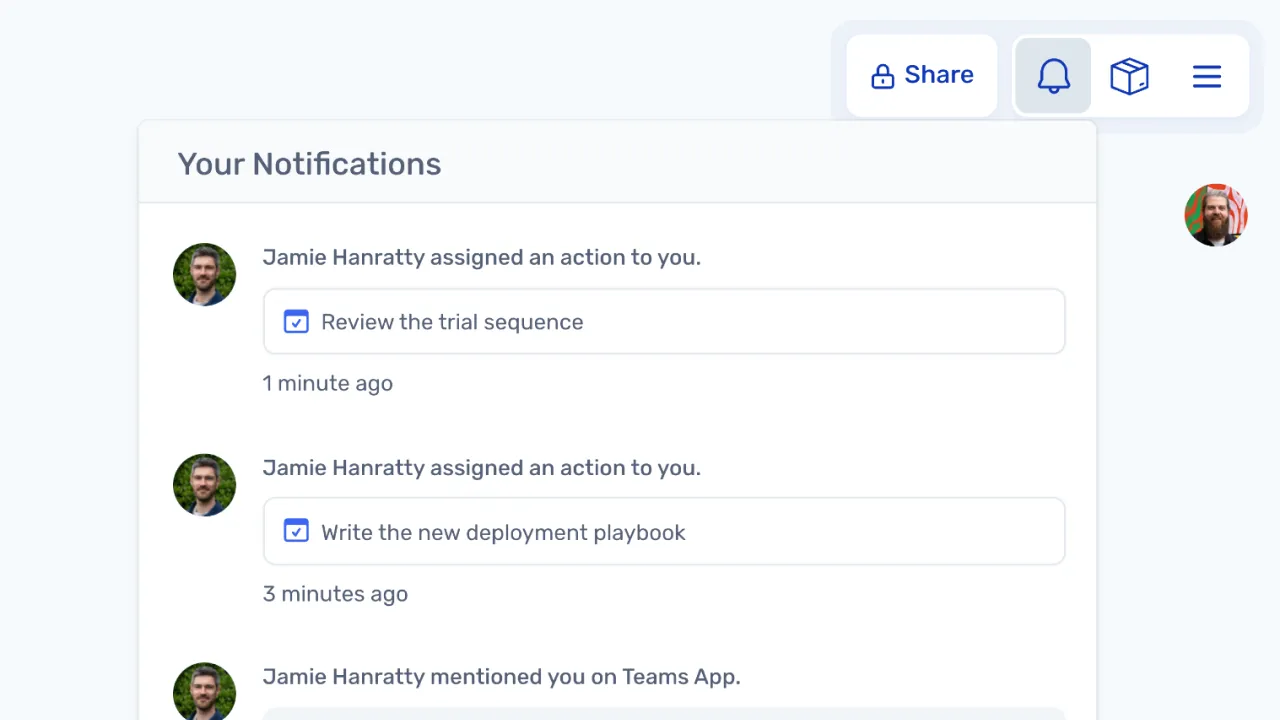
Assigned team members receive notifications and email reminders as deadlines approach, keeping actions visible without relying on manual follow-up from the facilitator.

Notify assignees automatically

Manage actions between sessions

The Action Items dashboard provides a central view of all actions across boards, where items can be filtered, edited, and updated. Teams can stay on top of commitments without waiting for the next meeting.

Manage actions between sessions

Keep commitments visible across sessions

Create and update actions from the dashboard

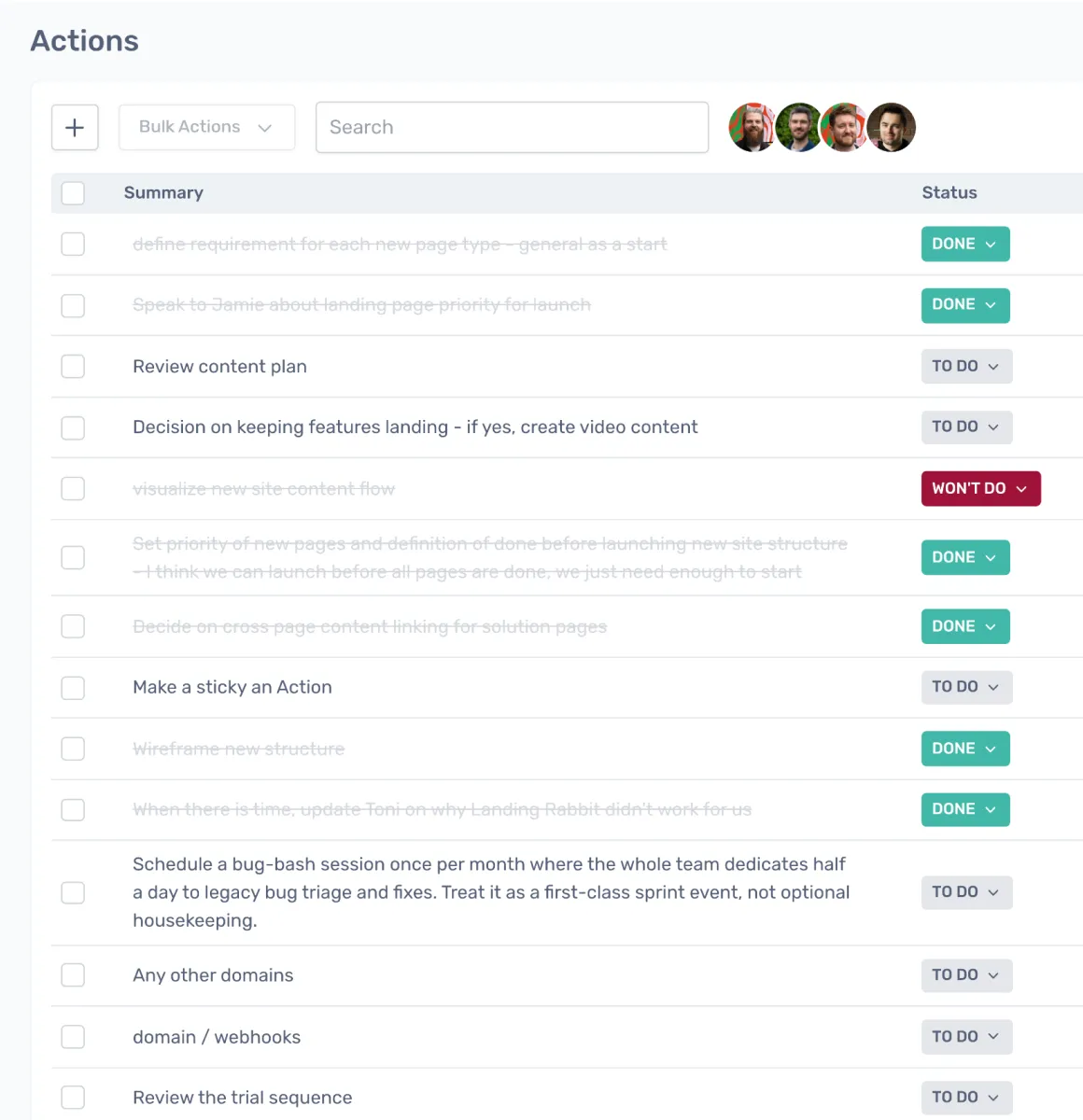
Actions can be created and managed directly from the dashboard, outside of any board, so teams can track and update commitments between meetings.

Bring actions into the next session

Actions from previous boards are imported into the next meeting, staying synced to their original source so the team can review progress in context.

Review and update as a team

The team reviews action status together, marks items as done, and discusses or reassigns overdue actions, keeping everyone aligned on outstanding commitments.

Loved by teams everywhere

What the teams who use Spreo every week say about it

Siobhan He

Product Manager, EZ Ops

We use Spreo for our retrospectives, but also for loads of other meetings. The team loves it! They are having a lot of fun with the planning poker and personalizing the retro boards.

The emoji stickies are a particularly big hit, as is the confetti tool.

We have used it a couple times for brainstorming and team building as well, and it worked really really well!


Marteijn Mout

Senior Scrum Master, Jumbo Tech Campus

For my teams’ retrospectives I have been using Spreo for nearly 1 year and am very satisfied with this collaborative web app 👍

But now with their new upgrade to v2 it goes next level! So many new template options (eg ice breakers, Poker planning, T-shirt sizing, WoW). And also useful advanced facilitator controls within the boards plus optimized usability… big applause 👏

Jason Martin

Agile Coach, Meltwater

Spreo improves the way I work.

There are constant requests to ‘facilitate a meeting for a topic’ and it doesn’t matter what is asked for, I know I can build a board for that. If you want to have a very structured, formally-designed meeting, Spreo has tools for that. Or if you want to have a bit of a free for all, figure it out as you go meeting, there are tools for that too.

Marcelo

I’ve been using Spreo on my projects since my teams had to adapt to the pandemic and start using this awesome tool. We’re from Brazil. My work area is audit and had a great experience using the tool to plan our projects. Also using it on personal projects too. I need to add that I had a really fast answer when I needed support from Spreo’s team. Thank you!

Chris VanderKolk

Engineering Manager, Zapier

Our team is focused on new product development, and rapid iteration is an important part of our process.

Spreo helps my team facilitate retrospectives to make sure we’re focused on what matters. Spreo’s wide selection of templates helps me adjust based on which problems we’re facing—there’s always a template for my use case.

Marianne Béglin

Product Owner, Enginn Technologies

Our team at Enginn Technologies is working on a AI voice acting app for video games. Spreo is the bomb for making fun retrospectives in an office or remote setting.

It’s just beautiful and convenient, with a few quirky and unique features that keep our meetings from getting boring (like the wake up slap)!

Ready to experience the best collaboration tool for your team?

Sign up for free

Interested in Spreo for your organization? Book a demo.