
In this update we’re sharing seven new boards that we made for our own team, including a Roman-themed retro and six of the planning boards we use to make decisions (all now available in the Template Library).
We also want to remind you that AI can now sort stickies in your boards
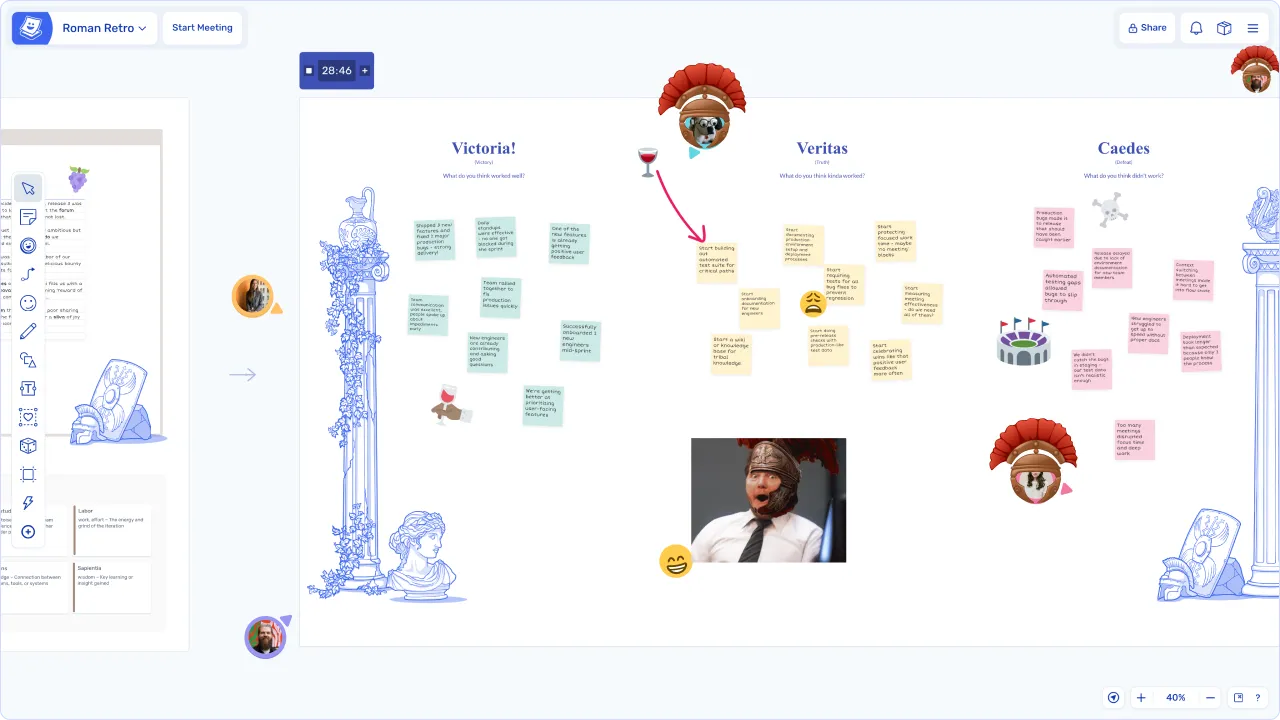
Roman Retro Template 🔱
“Lend me your ears…”
Or just your sticky notes. In the Roman Retro you pick a Roman identity, tell the story of your sprint and debate it in the senate. Don’t forget to wear a Roman helmet (in the hats).
One of our Founders, Jamie, built this for our retro recently after a ‘gladiatorial’ sprint, and we liked it enough to share.
6 New Planning Boards 😎
These are the boards we use to plan at Ludi.

We’re a small team, so we need to make decisions fast.
If your team also prioritises quick decision-making, try these six boards we’ve been using internally for project launches, work stream prioritisation, design reviews, onboarding emails, landing page content mapping and product pricing decisions.
Each board comes with a “How to Run” guide and a short video walkthrough from our Designer, Steve, showing how we used it.
Find them in the Planning templates, and watch Steve’s overview video above or read our blog post for the full breakdown.
Did you know? AI can sort your stickies 💪
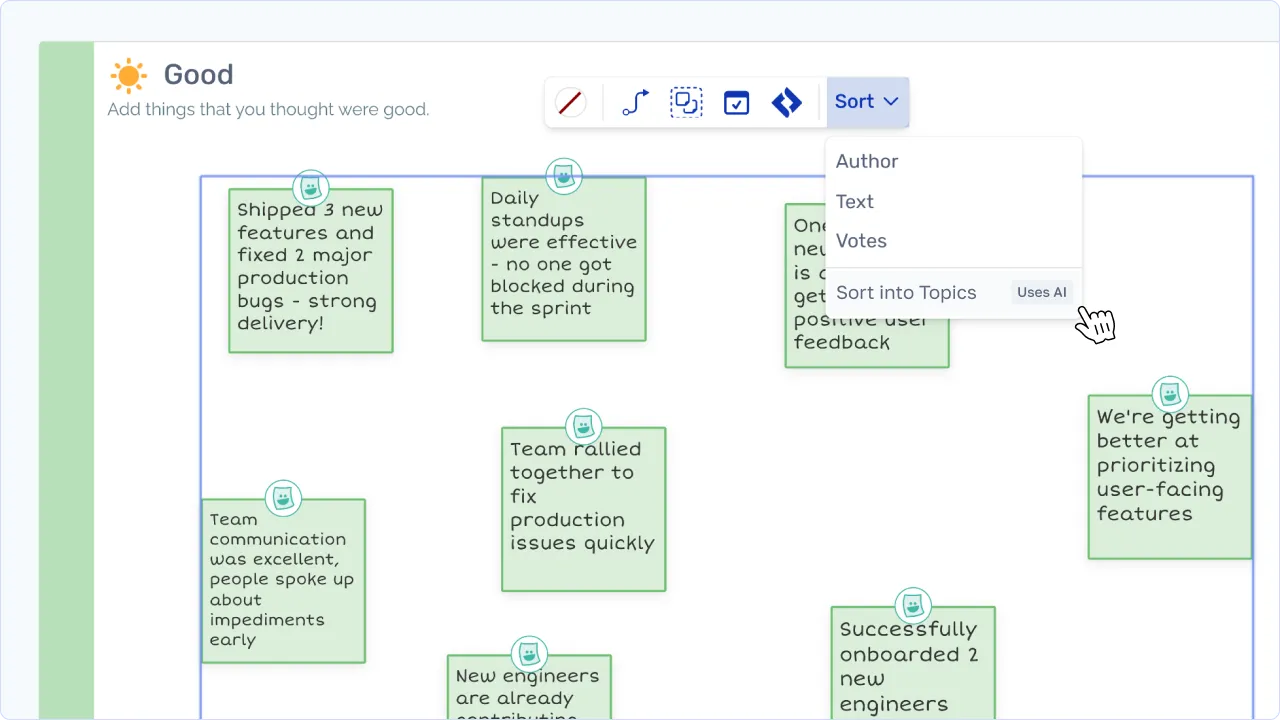
Picture the scene - you’ve just finished group brainstorming and there are more than 50 sticky notes on the board. Grouping them by hand takes ages and kills the momentum. Session grinds to a halt.
Next time, try using “Sort into Topics” instead. Ludi reads your stickies and groups them into labelled topics in seconds. It’s the fastest way to get from a wall of stickies to the next stage of focused discussion.
---
Have an awesome day
Kit, Jamie, Steve and Steve - The Ludi Team