




We have a tradition of making a special Halloween retro template every year. This year we got a bit carried away and built a generator that makes the whole thing for you, custom, based on your input.
Create your own Halloween adventure
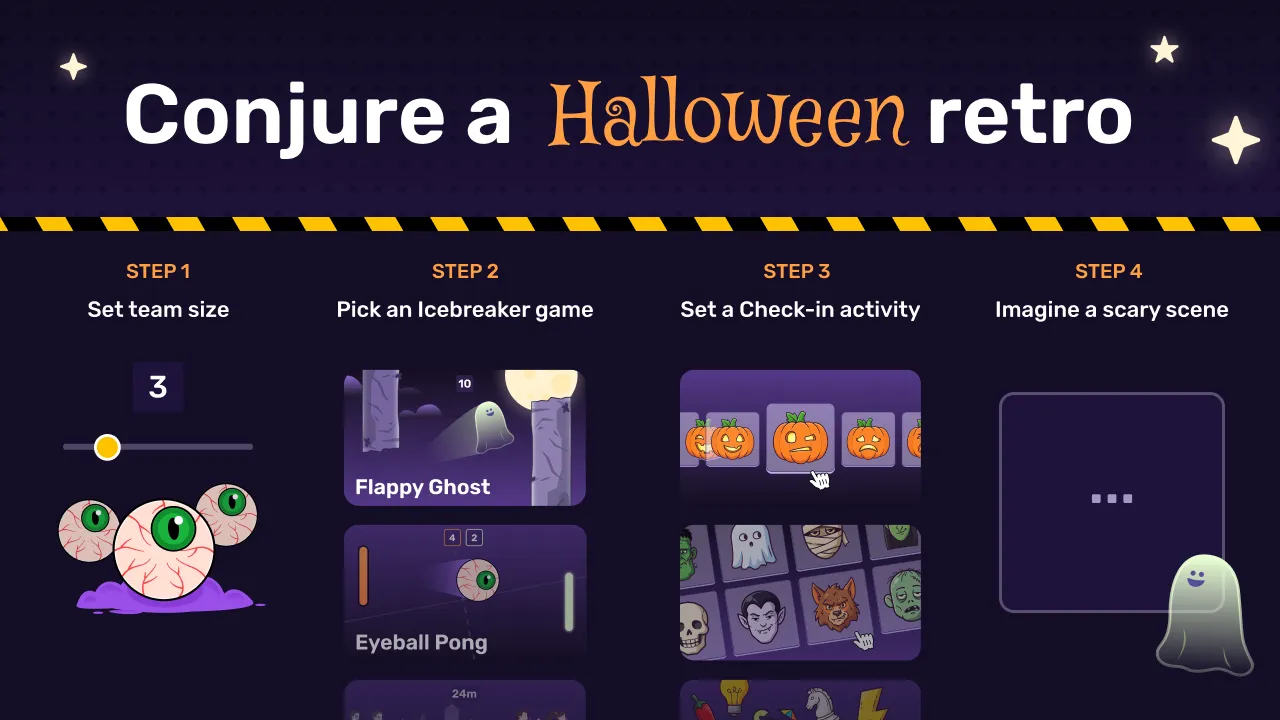
Make four choices and get a whole retro board, ready to run.
This year we’ve given you the reins - pick from a selection of new icebreaker minigames and interactive check-ins, then describe a scary scene of your choosing… and in seconds a complete Spreo board is generated for your retro, ready to run. And yes, there’s a bit of AI involved.
We generate the retro format and images from your prompt - so feel free to go a bit off the wall with your scary scene description. “Someone cooked fish in the office microwave” is a good start, but be more specific to your team and the results will be funnier, or at least more interesting.
It’s free for anyone to use, and anyone you share the board link with can participate without signing up. If you want to keep the board secure, just add it to your account or sign up (there’s a 15-day free trial).
Conjure a Halloween retro for your team
Watch the Halloween retro generator in action.
The rest of the October updates
Jira cards created by AI agents via our MCP
We fixed an issue where Jira cards placed by AI agents through Spreo MCP weren’t loading data from Jira. Now they load the ticket data as expected.
Note - your AI agent can’t create new Jira issues using Spreo’s direct Jira integration yet, but if you have the Atlassian MCP it can read the board then create the issues directly in Jira for you.
Linear integration
If your team uses Linear, you can now bring your issues onto a board with our Linear integration. Edit them in Spreo and the changes go back to Linear instantly.
You can’t create new Linear issues from Spreo’s integration yet, but again, using Spreo’s MCP your agent can act as a go-between.
Upload up to 20 images at once
Previously, you could only upload one image at a time to a Spreo board (tedious), but now you can add multiple (up to 20 at a time).
Connectors that bend
Bendy and angled connectors can now go wherever you want them to. Hold Shift or Ctrl and drag the line to add a bend point, then drag the points to route the line around things. Helps with busy diagrams.
A few other connector changes:
- Drop a connector anywhere on a sticky note or card to attach it. On shapes, it snaps to the outline.
- Double-click a connector to edit its label.
- Moving connected objects around is a lot faster.
A redesigned Voter
The Voter Widget has had a design refresh with some really nice new interactions that make it feel ‘chef’s kiss’.
A better Spinner
The Spinner has also had a design update making it visually nicer and work better in certain scenarios, like when you have lots of items.
Coming soon: Azure DevOps & more
- Azure DevOps integration is next. It will work much like Linear and Jira: import work items onto a board and edit them there. If your team uses Azure DevOps and you’d like to know when it’s ready, contact us.
- MS Teams integration is in the works, but we can’t put a date on it yet.
- More MCP improvements are on the way, based on your feedback, so keep it coming!
- Boards for your meetings: we’re looking at attaching Spreo boards to your meetings and meeting series, with the board made for you ahead of time, and useful stuff like meeting summaries generated.
Happy Halloween,
Jamie, Steve & Steve