


Linear integration
What you can do with Linear issues in Spreo
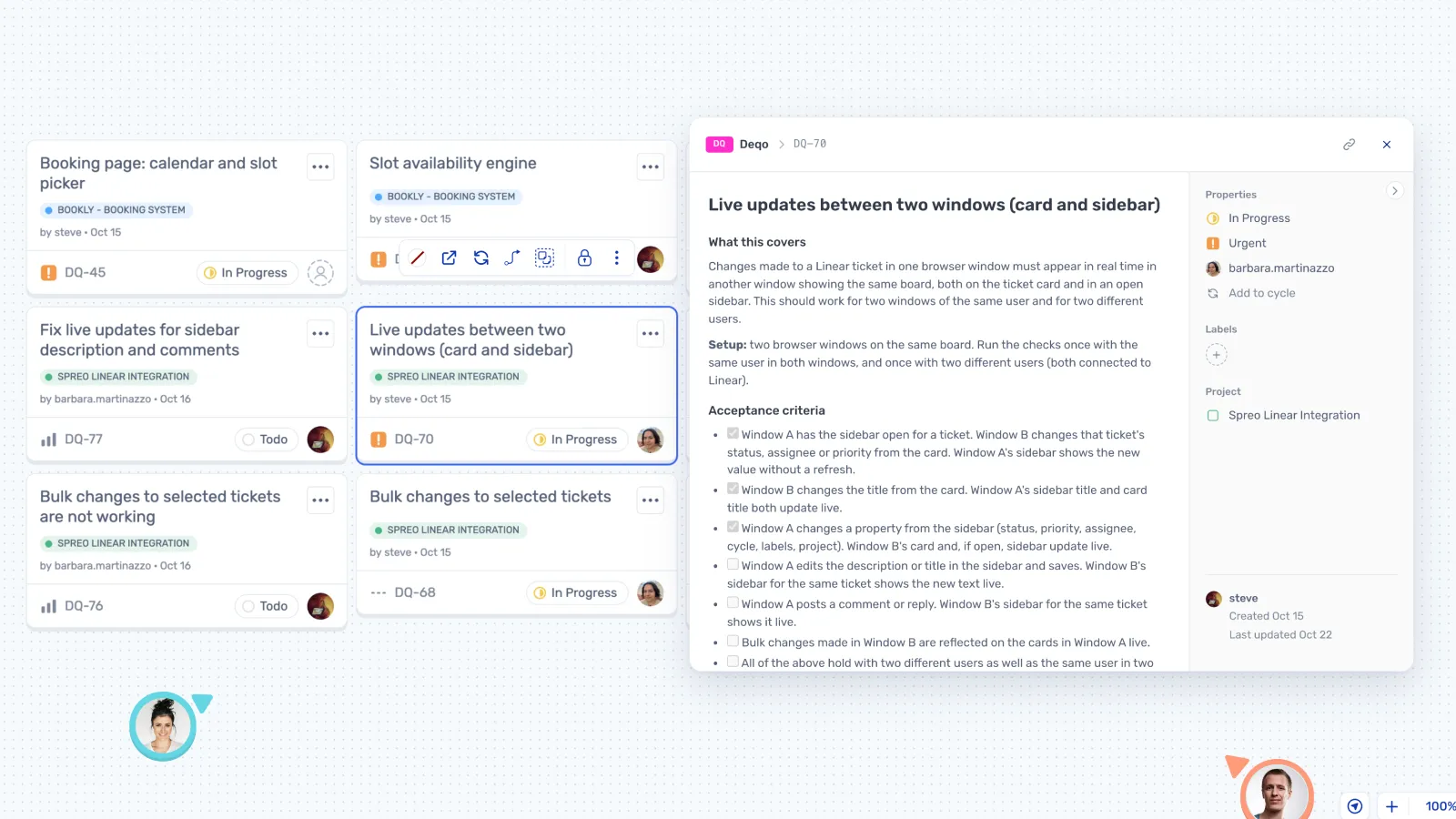
Each issue lands on the board as a card showing its ID, title, status, priority, assignee and project.

Linear stays the source of truth
Edits on the board save to Linear straight away. Changes made in Linear show up when you reload.

Plan the cycle together
Pull in a team's issues, then group, discuss and reorder them on the board.

Change several at once
Select a few cards and assign them, or change their status or priority, in one go.

The whole issue in a side panel
Edit the description, cycle, labels and project, and reply to comments, without opening Linear.

Everyone uses their own account
People sign in to Linear themselves and edit with their own permissions.

Group cards under topics
Linear cards group under a topic the same way sticky notes do.
How teams use Linear in Spreo
Connect your Linear account
Open Insert, choose Linear Issues and sign in. Your Spreo account links to one Linear workspace, set by whoever connects first.
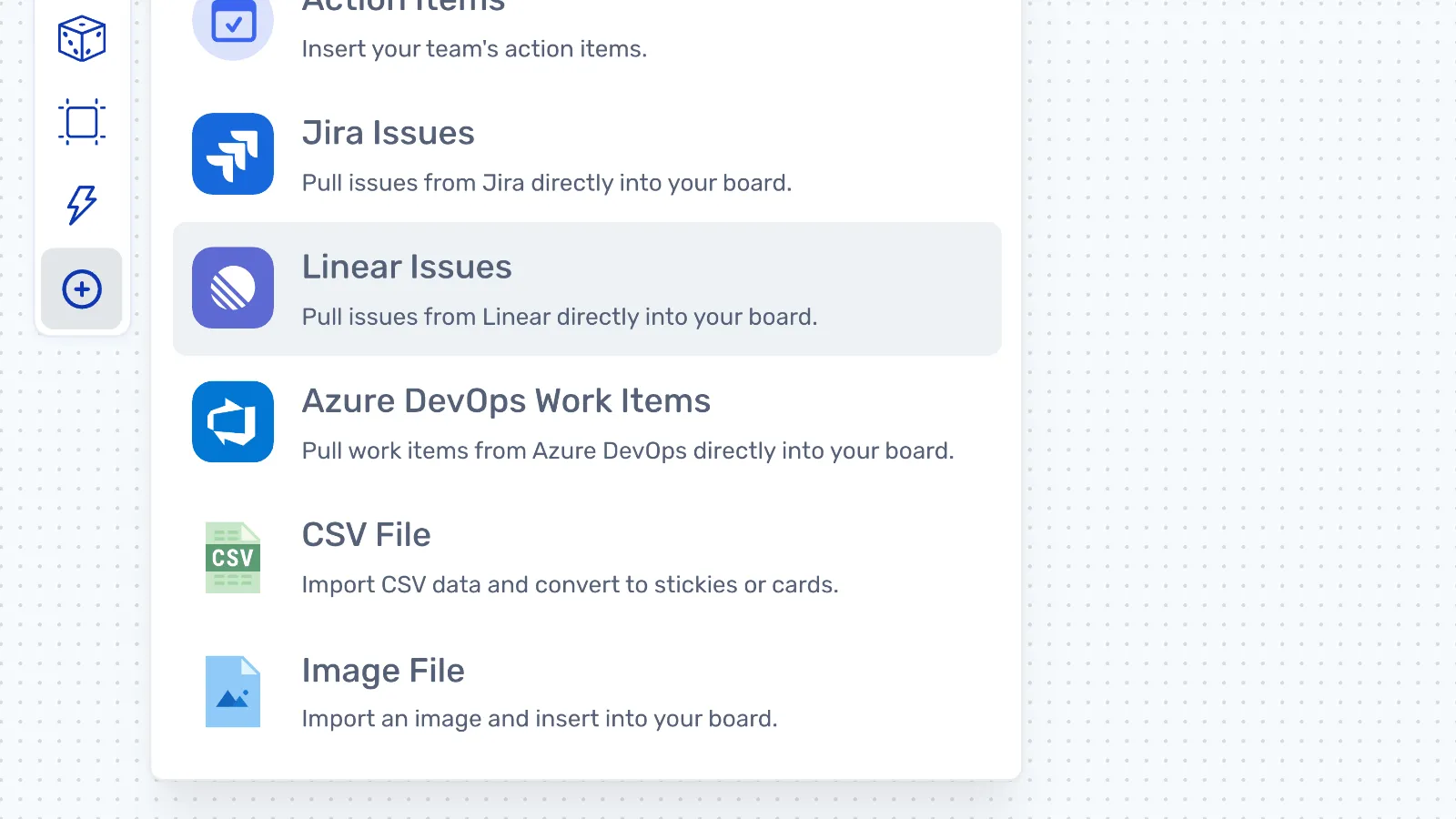
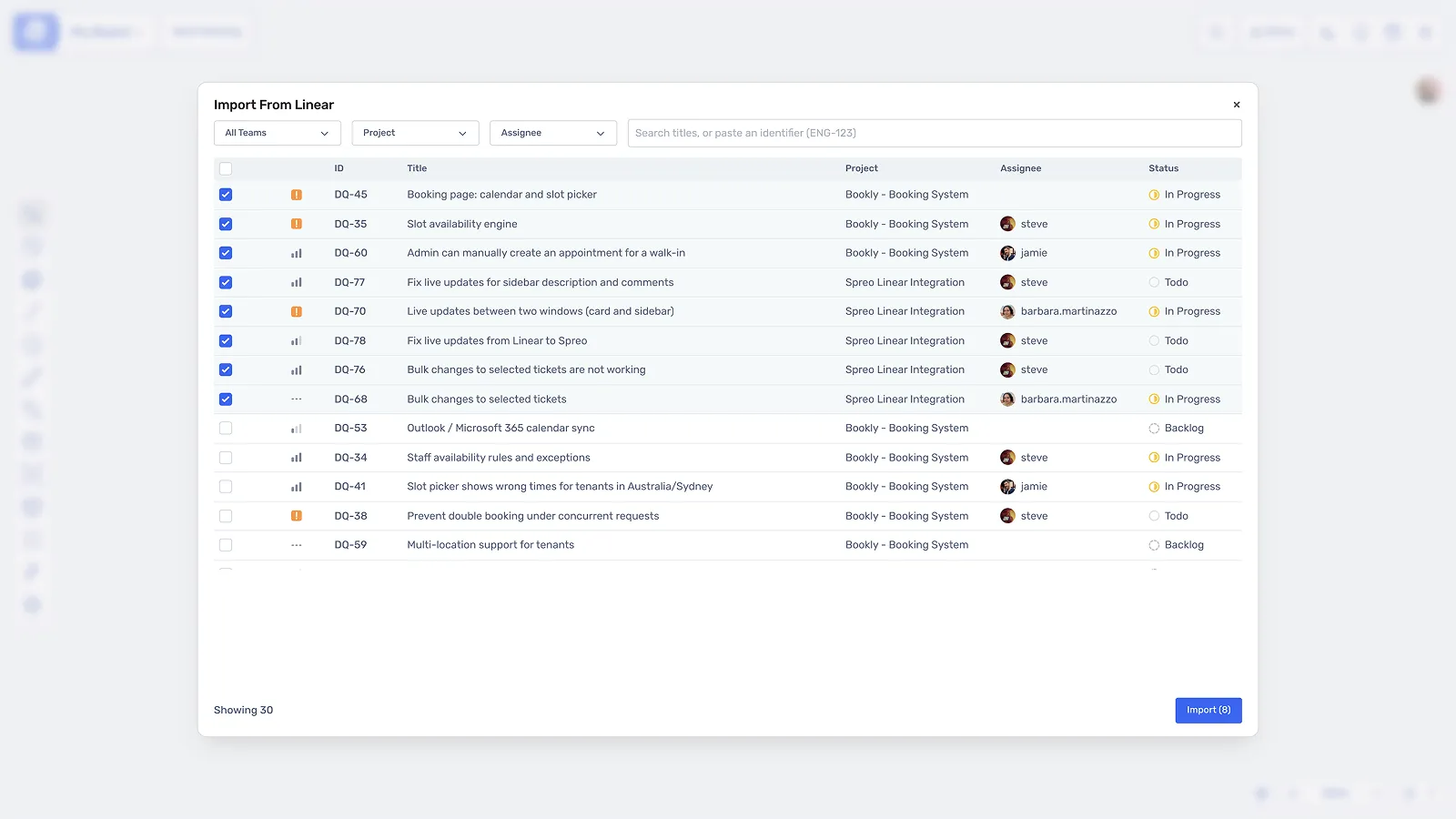
Bring the cycle onto the board
Filter by team, project, assignee or status, search by title, or paste an issue ID like ENG-123. Pick the issues you want, or import the whole list.
Bring last cycle's issues into the retro
Put the issues next to the sticky notes so people can point at the real thing. Open any card to read the comments or add your own.
Why teams plan on a Spreo board
Planning and retros in one place
Cycle planning, refinement and the retro all run on Spreo boards, with voting, timers and private writing.
Everyone sees the change
When someone updates a card, the whole board sees it and Linear has it straight away.
Your assistant can work across both
Connect Spreo's MCP and Linear's MCP to the same assistant. It can read the retro in Spreo, then create the issues in Linear.