



ludi-logo
is now
spreo-logo

Read about the rebrand in our Blog

User Story Estimation

Run user story estimation sessions and reach team consensus on effort. Estimate stories together, discuss assumptions, and sync final estimates back to Jira in a structured team session.

Sign up with Google Sign up for free
30-day free trial
No card required
Endless confetti

Made for User Story Estimation

Why Spreo works well for user story estimation

User story estimation works best when the team can discuss the work, clarify assumptions, and then estimate together. Instead of estimating in isolation, Spreo allows teams to review stories, discuss details, and estimate effort in the same workspace, with final estimates synced back to Jira.

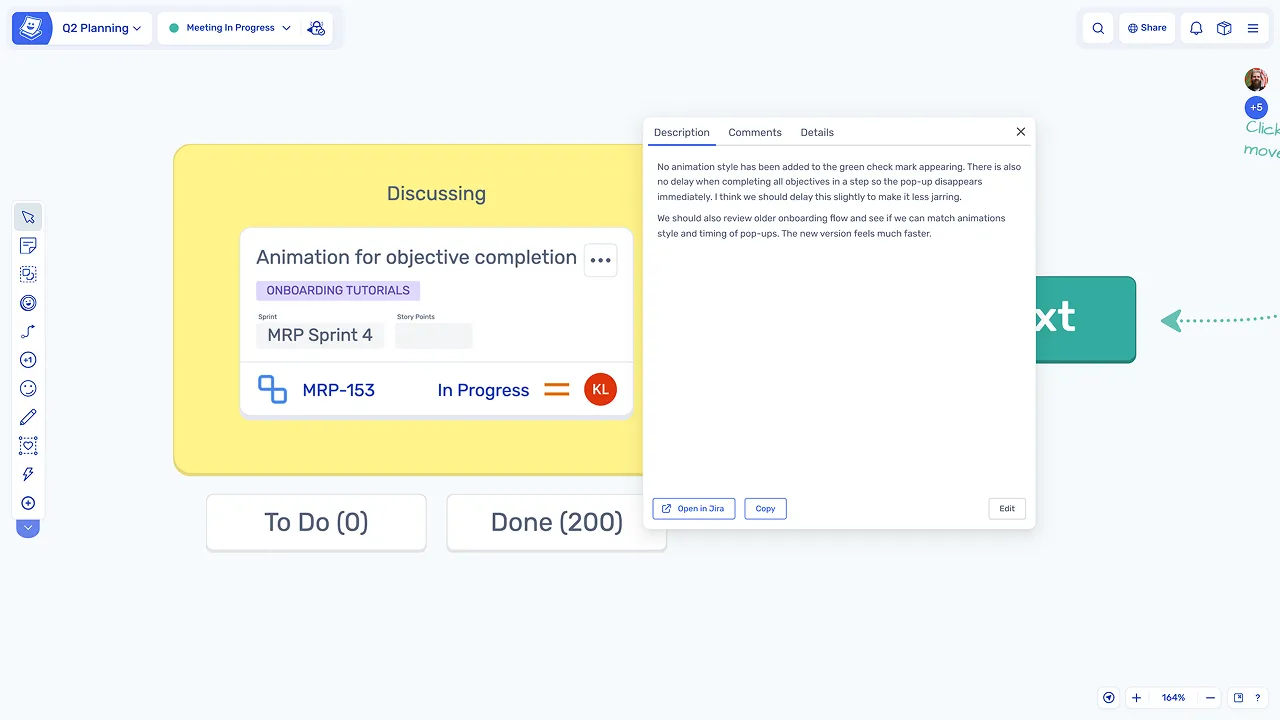
Estimation with full story context

Estimation with full story context

Estimation happens alongside the story details, so the team can discuss requirements, add notes, and clarify assumptions before voting on effort.

Prevent anchoring bias

Prevent anchoring bias

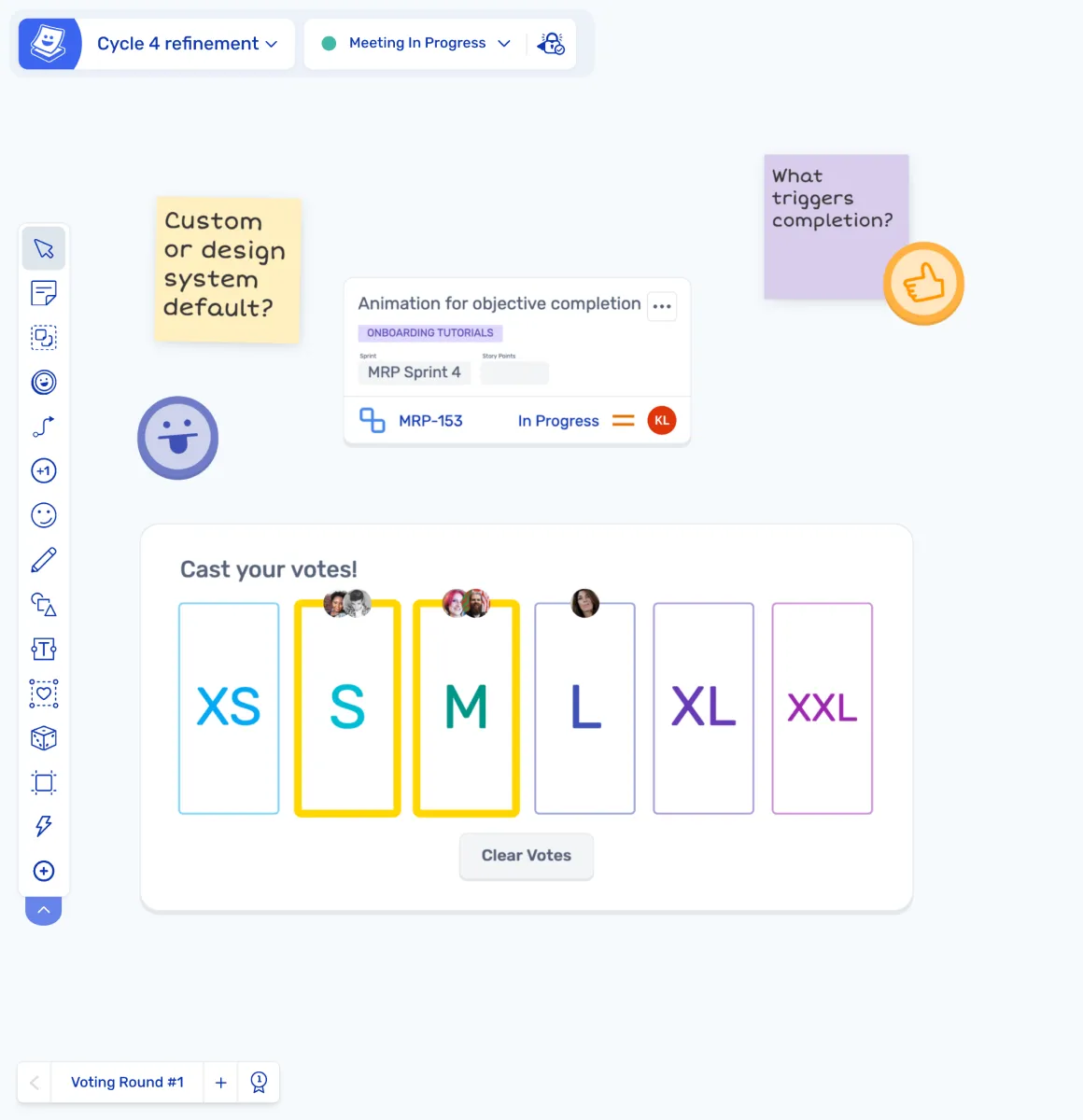
Blind or simultaneous reveal means everyone estimates independently before seeing other votes, helping the team reach a more balanced consensus.

Discussion and estimation in one place

Discussion and estimation in one place

The team can discuss stories, capture notes, and estimate effort on the same board instead of switching between tools.

Estimates sync back to Jira

Estimates sync back to Jira

Final estimates are synced back to Jira automatically, so there is no need to manually update tickets after the session.

What is User Story Estimation?

User story estimation is the session where the team assigns effort estimates to user stories so work can be planned and forecasted. Teams usually estimate using story points, T-shirt sizes, or another agreed scale, with the goal of reaching a shared understanding of how much effort each item will take.

Estimation is often done during backlog refinement or sprint planning. The team briefly discusses each story, estimates effort, and agrees on a final estimate that can be used for sprint capacity planning and prioritisation.

How teams run user story estimation in Spreo

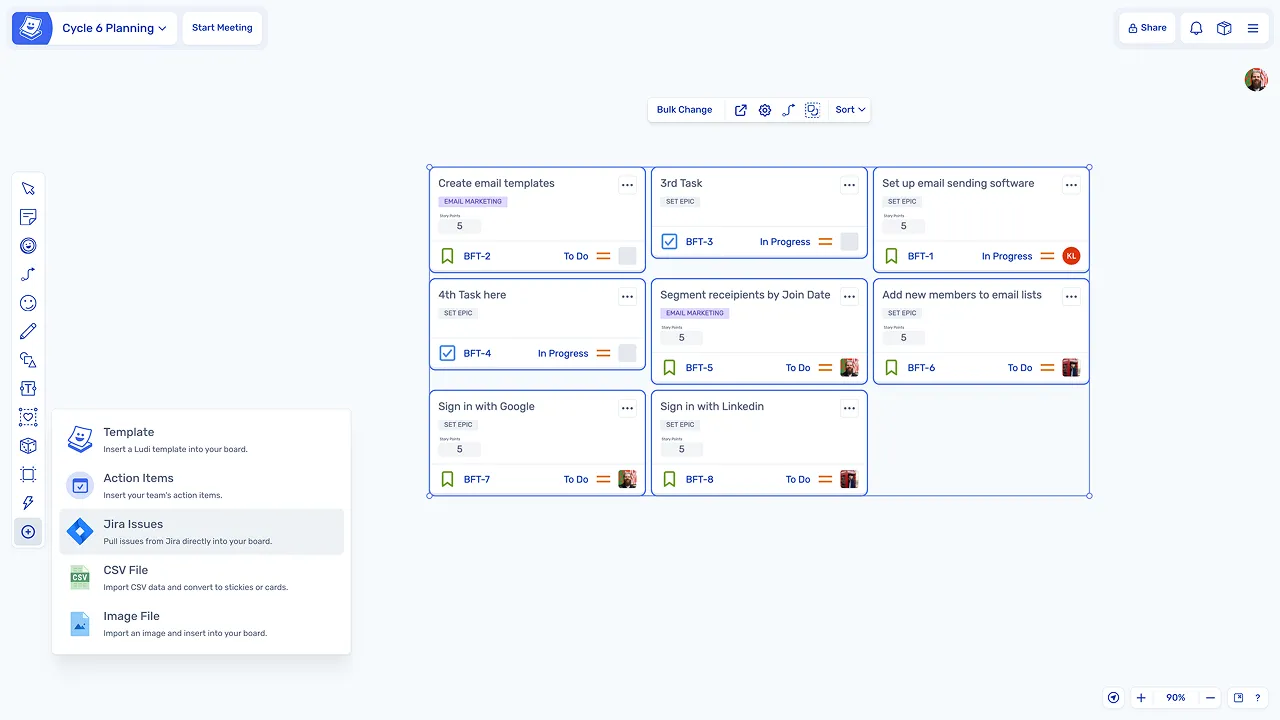
Bring stories onto the board

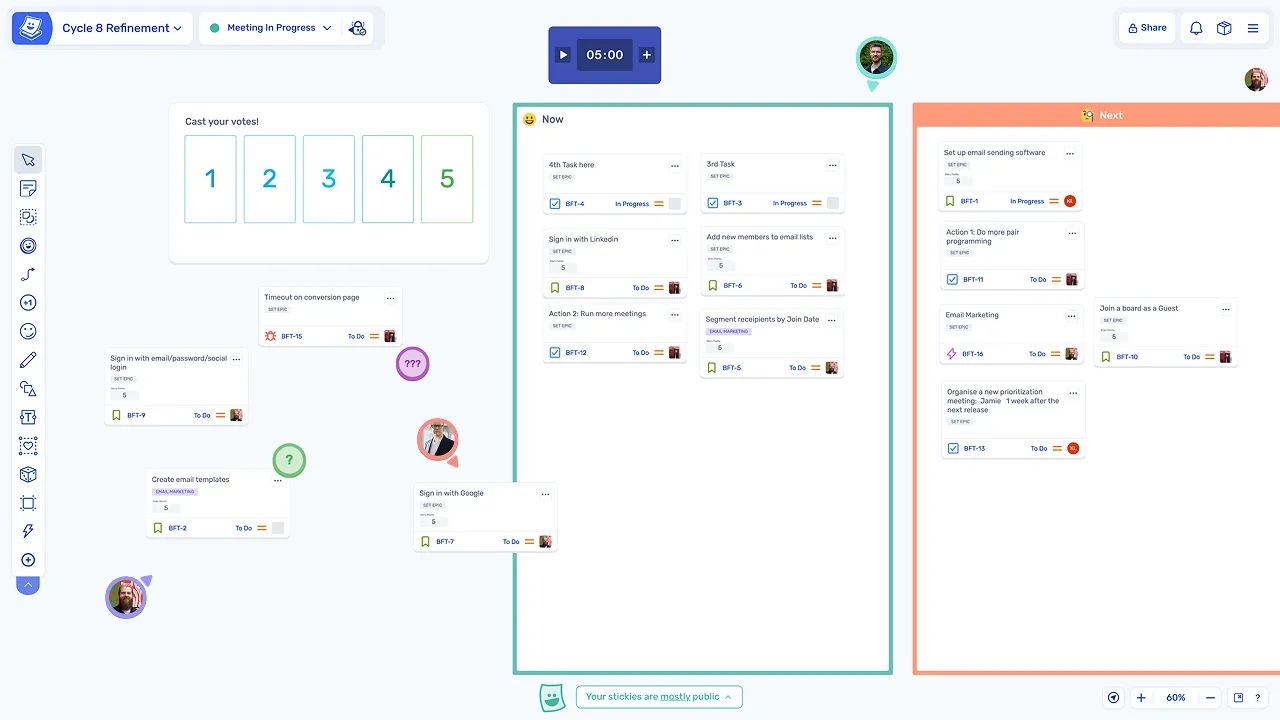
The team pulls Jira stories onto the board or uses a dedicated estimation template, so everyone can see the stories being estimated.

Bring stories onto the board

Discuss each story briefly

Before estimating, the team reviews the story and discusses any assumptions, risks, or unknowns so everyone understands the work.

Discuss each story briefly

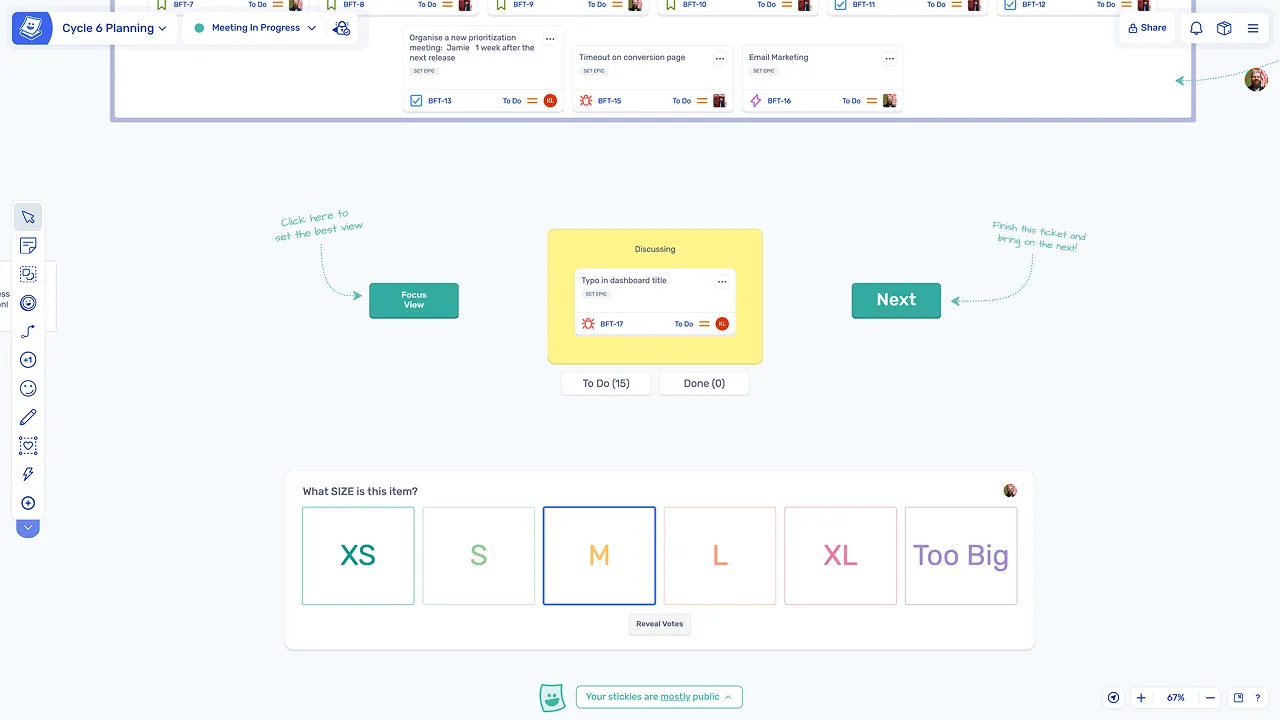
Estimate simultaneously

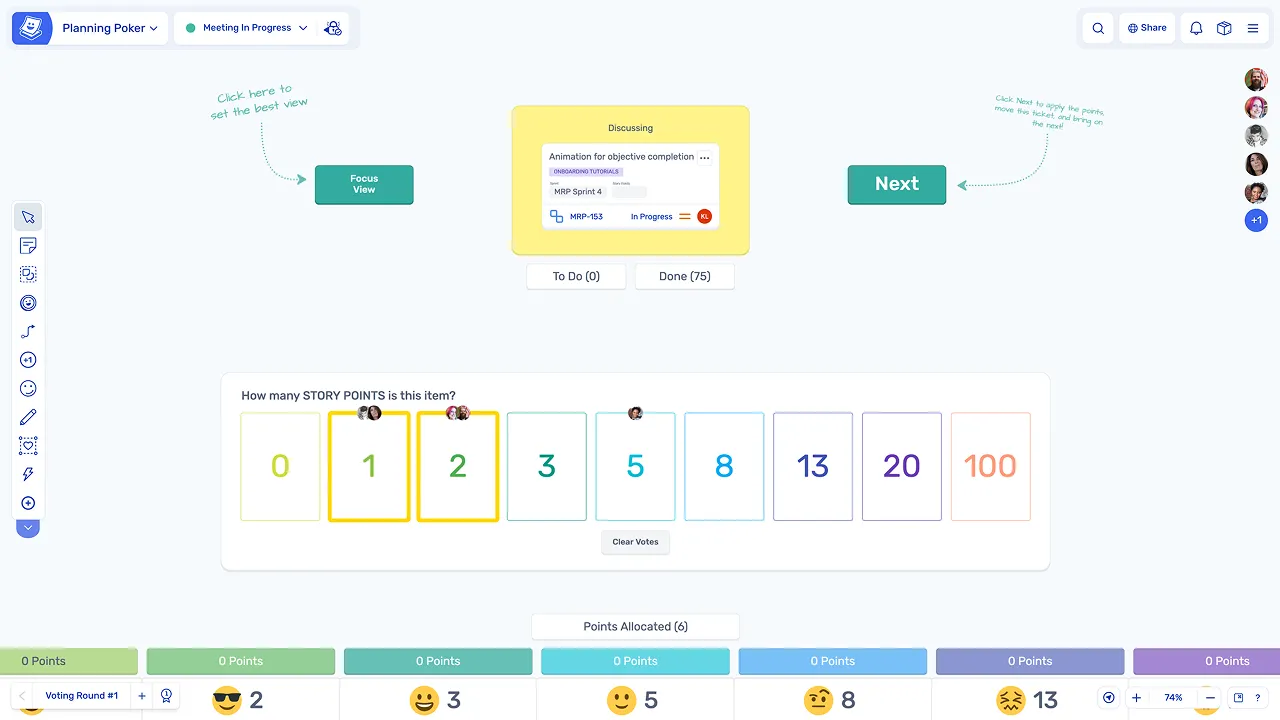
The team estimates each story at the same time using blind or simultaneous reveal, so estimates are made independently.

Estimate simultaneously

Reveal, agree, and sync back to Jira

Reveal and discuss differences

Estimates are revealed together. If there is a large difference between estimates, the team discusses the story and then re-estimates.

Sync final estimates back to Jira

Once the team agrees on an estimate, the final value syncs back to Jira automatically.

Keep estimation sessions timeboxed

Timers can be used to keep discussion and estimation for each story focused and on schedule.

Explore other agile meetings

User story estimation is one of several agile meetings teams run regularly. Explore other agile sessions you can run in Spreo.

Loved by teams everywhere

What the teams who use Spreo every week say about it

Siobhan He

Product Manager, EZ Ops

We use Spreo for our retrospectives, but also for loads of other meetings. The team loves it! They are having a lot of fun with the planning poker and personalizing the retro boards.

The emoji stickies are a particularly big hit, as is the confetti tool.

We have used it a couple times for brainstorming and team building as well, and it worked really really well!


Marteijn Mout

Senior Scrum Master, Jumbo Tech Campus

For my teams’ retrospectives I have been using Spreo for nearly 1 year and am very satisfied with this collaborative web app 👍

But now with their new upgrade to v2 it goes next level! So many new template options (eg ice breakers, Poker planning, T-shirt sizing, WoW). And also useful advanced facilitator controls within the boards plus optimized usability… big applause 👏

Natalia Quintana

Business Operations Manager, Xmartlabs

Spreo makes workshops, plannings & retros easy and fun! The variety of templates is impressive, they are not only visually appealing but also very original. It has made facilitating complex dynamics like OKR planning much easier and more intuitive.

Marcelo

I’ve been using Spreo on my projects since my teams had to adapt to the pandemic and start using this awesome tool. We’re from Brazil. My work area is audit and had a great experience using the tool to plan our projects. Also using it on personal projects too. I need to add that I had a really fast answer when I needed support from Spreo’s team. Thank you!

Chris VanderKolk

Engineering Manager, Zapier

Our team is focused on new product development, and rapid iteration is an important part of our process.

Spreo helps my team facilitate retrospectives to make sure we’re focused on what matters. Spreo’s wide selection of templates helps me adjust based on which problems we’re facing—there’s always a template for my use case.

Marianne Béglin

Product Owner, Enginn Technologies

Our team at Enginn Technologies is working on a AI voice acting app for video games. Spreo is the bomb for making fun retrospectives in an office or remote setting.

It’s just beautiful and convenient, with a few quirky and unique features that keep our meetings from getting boring (like the wake up slap)!

Would you like to know more?

Spreo is completely free for 30 days, so why not sign up to try it out and do your part for collaboration!

Sign up for free
30-day free trial
Live chat support

Still have a question? Contact us we’ll be happy to help you.

Ready to experience the best collaboration tool for your team?

Sign up for free

Interested in Spreo for your organization? Book a demo.