





ludi-logo
is now
spreo-logo

Read about the rebrand in our Blog

Task and Action Tracking

Track actions across meetings and make sure they get done. Create, assign, and follow up on actions from retrospectives, planning sessions, and workshops in one connected workflow.

Sign up with Google Sign up for free
30-day free trial
No card required
Endless confetti

Made for Action Tracking

Why Spreo works well for action tracking

Action tracking only works if actions are visible, assigned, and consistently reviewed. Spreo connects actions directly to the sessions where they are created, keeps them visible between meetings, and brings them back for review, so teams can follow through instead of losing track of commitments.

Actions are not lost after the meeting

Actions are not lost after the meeting

Actions created during sessions are tracked and remain visible, instead of being buried in notes or spreadsheets.

Stay on track with reminders

Stay on track with reminders

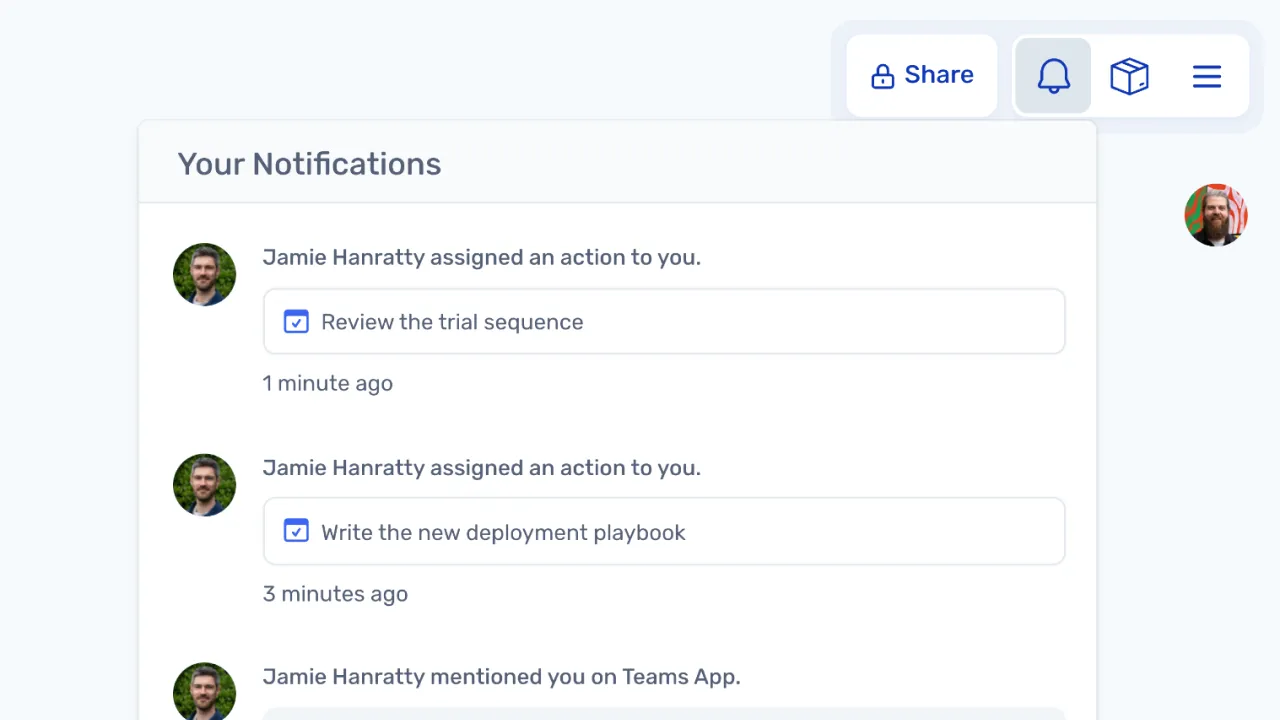
Assigned team members receive notifications and email reminders, helping ensure actions are completed on time.

Review actions in every session

Review actions in every session

Actions from previous boards are automatically brought into the next meeting, so the team can review progress together.

See all actions in one place

See all actions in one place

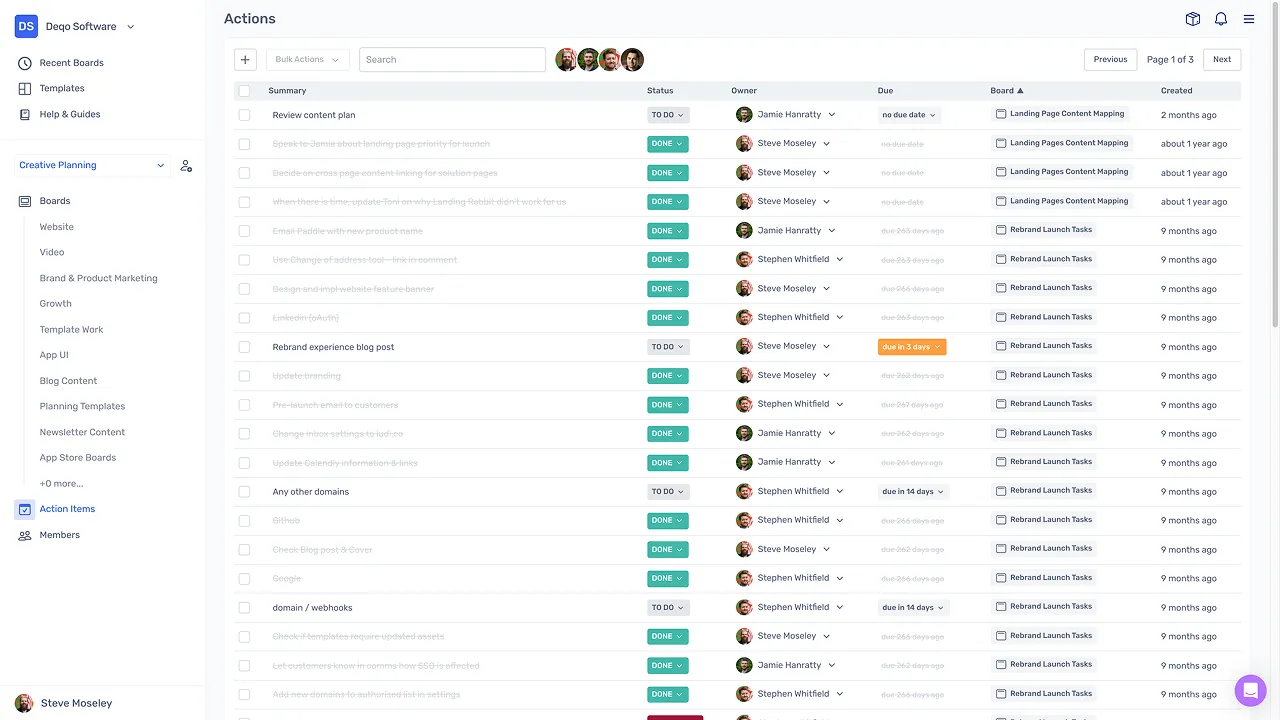
A central dashboard shows actions across boards, making it easy to track what is done, overdue, or needs attention.

Keep actions connected to context

Keep actions connected to context

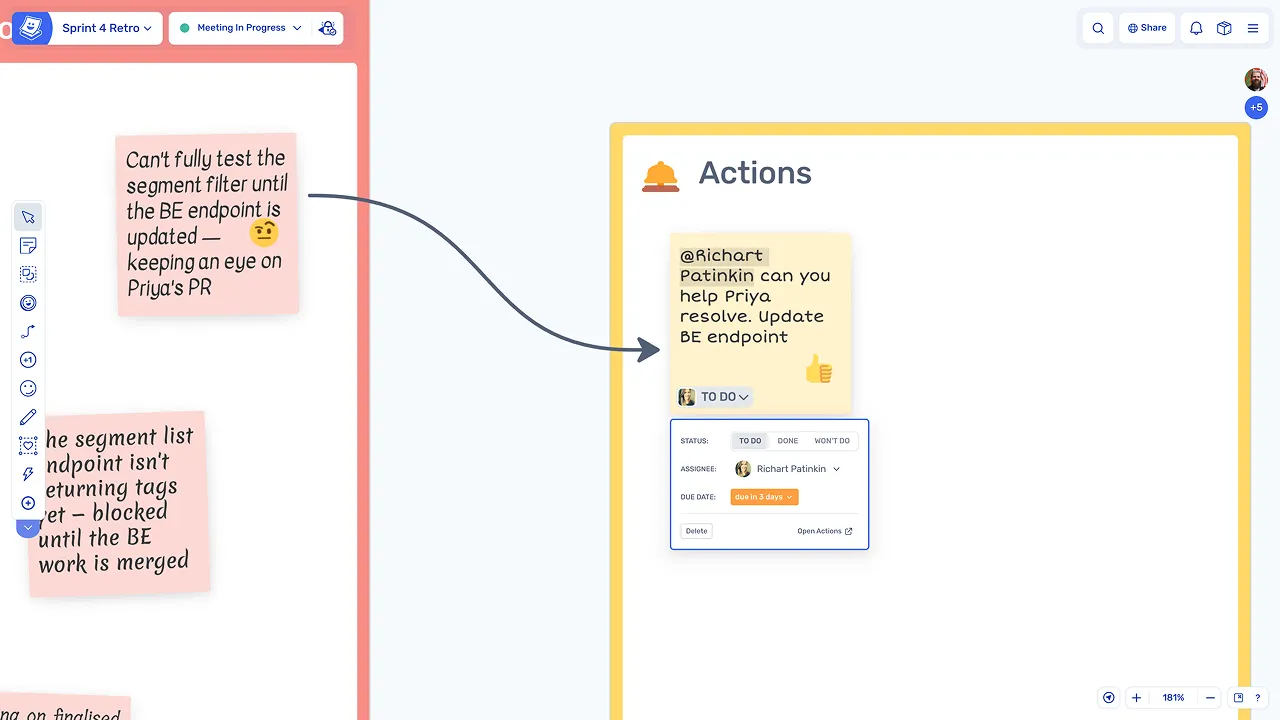
Actions stay linked to the original sticky and discussion, so the team always has the context behind each task.

What is task and action tracking?

Task action tracking is an ongoing workflow where actions created during meetings are assigned, tracked, and reviewed over time. These actions often come from retrospectives, planning sessions, or workshops and are given an owner and a due date.

Between meetings, team members work on their assigned actions. At the start of the next session, the team reviews progress, discusses any overdue items, and updates or reassigns actions as needed.

How teams track actions in Spreo

Create actions during a session

Actions are created from sticky notes during the meeting, with an assignee and due date set on the board, so ownership is clear from the moment the action is identified.

Create actions during a session

Notify assignees automatically

Assigned team members receive notifications and email reminders as deadlines approach, keeping actions visible without relying on manual follow-up.

Notify assignees automatically

Manage actions between meetings

Actions are visible in a central dashboard, where they can be reviewed, filtered, and updated between sessions without waiting for the next meeting.

Manage actions between meetings

Keep commitments visible across every session

Create and update actions from the dashboard

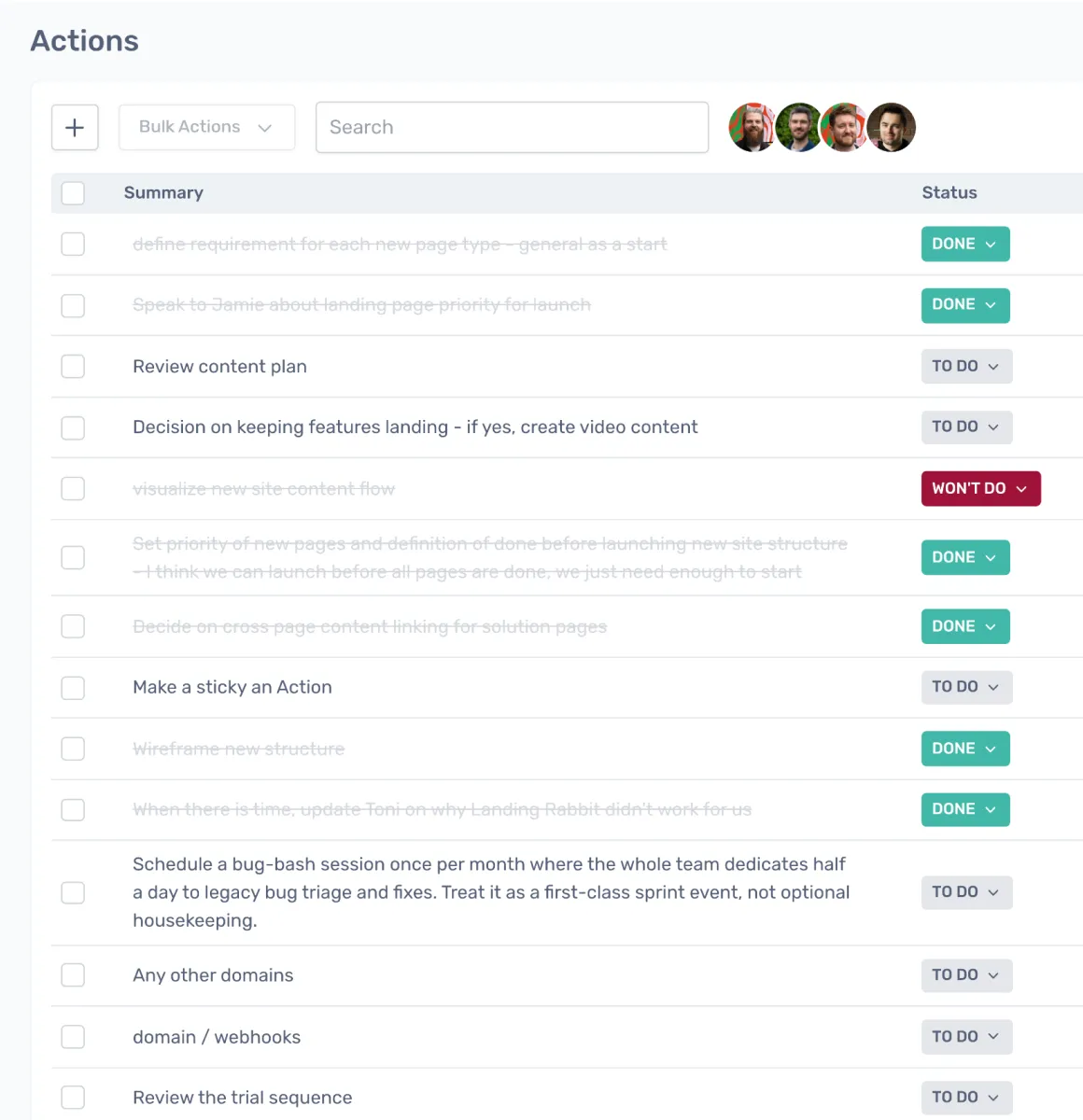
Actions can also be created or updated directly from the dashboard, outside of a board, so teams can manage commitments at any time between meetings.

Bring actions into the next session

Actions from previous boards are automatically imported into the next meeting for review, staying synced to their original source so the team can discuss them in context.

Review and update as a team

The team reviews action status together, marks items as done, and discusses or reassigns overdue actions, keeping everyone aligned on outstanding commitments.

Explore other team collaboration activities

Action tracking supports many collaboration sessions. Explore other activities you can run in Spreo.

Loved by teams everywhere

What the teams who use Spreo every week say about it

Jason Martin

Agile Coach, Meltwater

Spreo improves the way I work.

There are constant requests to ‘facilitate a meeting for a topic’ and it doesn’t matter what is asked for, I know I can build a board for that. If you want to have a very structured, formally-designed meeting, Spreo has tools for that. Or if you want to have a bit of a free for all, figure it out as you go meeting, there are tools for that too.

Siobhan He

Product Manager, EZ Ops

We use Spreo for our retrospectives, but also for loads of other meetings. The team loves it! They are having a lot of fun with the planning poker and personalizing the retro boards.

The emoji stickies are a particularly big hit, as is the confetti tool.

We have used it a couple times for brainstorming and team building as well, and it worked really really well!

Marteijn Mout

Senior Scrum Master, Jumbo Tech Campus

For my teams’ retrospectives I have been using Spreo for nearly 1 year and am very satisfied with this collaborative web app 👍

But now with their new upgrade to v2 it goes next level! So many new template options (eg ice breakers, Poker planning, T-shirt sizing, WoW). And also useful advanced facilitator controls within the boards plus optimized usability… big applause 👏

Julio

Founder in Residence, Entrepreneur First

As a Founder in Residence at EF I have been doing loads of customer calls. Taking notes on those doesn’t really work well on Notion as you don’t have stickies to move around later and better organise your thoughts.

I tried Miro but it’s just so slow. I used to use Spreo (formerly Metro Retro) for retros at my previous company and I knew it was fast, and now I use it as my main “customer discovery note-taking” tool of choice!

Manon Pavie

Product Owner, DINUM

As a Product Owner currently developing a tool for the French government, I have been and continue to be a strong advocate of Spreo. Its features are both innovative and genuinely user-centred, with a level of design quality that is consistently impressive. The support chat has also proved to be exceptionally responsive. I will continue to rely on Spreo for Scrum management and design thinking, and I even use several boards to organise my personal projects.

Marcelo

I’ve been using Spreo on my projects since my teams had to adapt to the pandemic and start using this awesome tool. We’re from Brazil. My work area is audit and had a great experience using the tool to plan our projects. Also using it on personal projects too. I need to add that I had a really fast answer when I needed support from Spreo’s team. Thank you!

Would you like to know more?

Spreo is completely free for 30 days, so why not sign up to try it out and do your part for collaboration!

Sign up for free
30-day free trial
Live chat support

Still have a question? Contact us we’ll be happy to help you.

Ready to experience the best collaboration tool for your team?

Sign up for free

Interested in Spreo for your organization? Book a demo.